Hi Folks,
In this post, I'd like to add more updates/Tips to the posted MSDN article with title:
"Deploying ASP.NET Web Applications in the Windows SharePoint Services 3.0 _layouts Folder"
Article url: http://msdn.microsoft.com/en-us/library/cc297200.aspx
The article is going to work fine if you are building asp.net ( with limitations ) that is targeting .NET framework 2.0, if you are trying to build and follow the steps on an ASP.NET application that is targeting .NET Framework 3.0 or 3.5 ( specially if your application has AJAX and Silverlight modules on it) then here is the changes/Tips that you might tackle and change:
1) The article doesn't tell you how to have a page that's rendered correctly in your VS.NET while development, the trick on this, do the following:
a) create a folder in your asp.net application called _layouts, and copy the application.master file from LAYOUTS folder and paste it on _layouts folder.
b) Now the page will render correctly in VS.NET.
c) You won't be able to build your website since the application.master has a lot of usercontrols and components that doesn't exist in your application.
d) to fix this, simply remove all usercontrols that you have in the application.master and you then be able to compile and build your website.
e) we added application.master just because to have our pages render correctly in our VS.NET IDE and to enrich the design experience of our pages and user controls.
d) As a best practices, no need to hard code the master page name in your code, simply replace the code in the OnPreInit event to the following:
// Old code in the article:
SPWeb Web = SPContext.Current.Web;
string strUrl = Web.ServerRelativeUrl+"/catalogs/masterpage/GamePoint_ThemeBlueDefault.master";
this.MasterPageFile = strUrl;
// New code:
SPWeb Web = SPContext.Current.Web;
this.MasterPageFile = Web.MasterUrl;
The above code will assign the the site masterpage to the custom page. and no need to specify the name of the master page, and this add a major flexibility to your solution specially if you provide your client with different custom master page in your sharepoint site ( as in my case ).
2) The article is telling you just to comment the authentication section in the web.config, this is not true 100%, what you suppose to do is to remove any attribute that exist on the web.config of the sharepoint site otherwise you will get duplicate entry error. To fix this:
a) remove any duplicate entries on your web.config file from your asp.net application.
b) no need to have web.config in your site if you don't have any custom entries on your site. and in this case, your site will run under the configuration of the sharepoint site that exists in sharepoint site folder.
With these 2 tips you will be able to build any asp.net 2.0/3.0/3.5 application with no limitations and make use of the full functionality of VS.NET Design tools.
Hope this helps.
Regards,
Mostafa arafa
Thursday, May 27, 2010


Tuesday, May 25, 2010
SharePoint 2010 Master pages, Js, CSS tips
Hi All,
I want to share some ideas and tips on masterpage changes in regard of using Master pages, css and ribbons in Sharepoint 2010:
1) In sharepoint 2007, when you develop custom pages under _layouts folder, those pages doesn't take the site master page, you have to configure them in your solution to reference a customized master page. while in Sharepoint 2010 one of the good enhancements is that the site master page is applied on your custom pages under layouts folder. Good Feature to know.
2) To set the master page in your custom pages in SharePoint 2010 use the following lines of code:
web.MasterUrl="/_catalogs/masterpage/minimal.master";
web.CustomMasterUrl="/_catalogs/masterpage/minimal.master";
This allow your pages to get the custom master page for the site, and if the referenced master page doesn't exists, the site will default to the default master page and then the site won't break.
IMMPORTANT Tip: by default MasterUrl and CustomMasterUrl set to "_catalogs/masterpage/default.master" and to change the default to have to set BOTH properties to your new master page.
3) You can start your custom master pages with minimal.master that you can download or use from sharepoint 2010.
4) V4.Master is a new master page in sharepoint 2010 and the default sharepoint 2010 master page user interface with Ribbon support.
5) Sharepoint 2010 javascript files has been enhanced, Microsoft split the js files into smaller minified files to be used on-demand only.
6) Sharepoint 2010 css files has been enhanced, Microsoft split the css files into smaller files that will be downloaded on-demand by any page.
7) To debug js files in Sharepoint 2010, what you need to do is modifying the web.config and adding the following attribute under system.web:
8) To add declaratively/dynamically (no code behind) the master page reference in your custom page based on the site selected master page:
~masterurl/application.master
9) As a best practice, it is recommended not to have more than 4-7 tabs in your Ribbon.
10) Ribbon doesn't support tables, all look and feel managed through css files, and the main css for the ribbon is called corev4.css
Hope this insights help.
-- Reference:
a) MSDN:
http://msdn.microsoft.com/en-us/library/dd776256(v=office.12).aspx
b) Professional SharePoint 2010 Development - Wrox
Regards,
Mostafa arafa
I want to share some ideas and tips on masterpage changes in regard of using Master pages, css and ribbons in Sharepoint 2010:
1) In sharepoint 2007, when you develop custom pages under _layouts folder, those pages doesn't take the site master page, you have to configure them in your solution to reference a customized master page. while in Sharepoint 2010 one of the good enhancements is that the site master page is applied on your custom pages under layouts folder. Good Feature to know.
2) To set the master page in your custom pages in SharePoint 2010 use the following lines of code:
web.MasterUrl="/_catalogs/masterpage/minimal.master";
web.CustomMasterUrl="/_catalogs/masterpage/minimal.master";
This allow your pages to get the custom master page for the site, and if the referenced master page doesn't exists, the site will default to the default master page and then the site won't break.
IMMPORTANT Tip: by default MasterUrl and CustomMasterUrl set to "_catalogs/masterpage/default.master" and to change the default to have to set BOTH properties to your new master page.
3) You can start your custom master pages with minimal.master that you can download or use from sharepoint 2010.
4) V4.Master is a new master page in sharepoint 2010 and the default sharepoint 2010 master page user interface with Ribbon support.
5) Sharepoint 2010 javascript files has been enhanced, Microsoft split the js files into smaller minified files to be used on-demand only.
6) Sharepoint 2010 css files has been enhanced, Microsoft split the css files into smaller files that will be downloaded on-demand by any page.
7) To debug js files in Sharepoint 2010, what you need to do is modifying the web.config and adding the following attribute under system.web:
8) To add declaratively/dynamically (no code behind) the master page reference in your custom page based on the site selected master page:
~masterurl/application.master
9) As a best practice, it is recommended not to have more than 4-7 tabs in your Ribbon.
10) Ribbon doesn't support tables, all look and feel managed through css files, and the main css for the ribbon is called corev4.css
Hope this insights help.
-- Reference:
a) MSDN:
http://msdn.microsoft.com/en-us/library/dd776256(v=office.12).aspx
b) Professional SharePoint 2010 Development - Wrox
Regards,
Mostafa arafa
Monday, May 24, 2010
NOVA Code Camp 12 June - MS Reston Office
Hello Everyone!
We have an impressive lineup of sessions you can see below. We have not yet made up a schedule, but we just wanted to let all of you know which of your talks were selected with plenty of time to prepare. We expect to have the schedule firmed-up by next weekend. We have some important details to share with you.
Location
The Code Camp is on Saturday June 12th from 8:30am to 5:45pm at the Microsoft Office Facilities.
The address is:
12012 Sunset Hills Road, Reston, VA 20190
Ask the Experts
During lunch, we are running an Ask the Experts where you’re the experts! We will be grouping the speakers into four groups based upon session topic. Each group will then be able to entertain questions from attendees.
Speaker Dinner
We are holding a post-code camp dinner at Clyde’s in Reston. It’s within easy walking distance from the code camp. Please let me know if you will be attending so we can make reservations.
Speaker Selections
Please note if you received this e-mail, then at least one of your talks was selected. If you do not see your name on the list below, then please let me know.
Chagoury, Antonio Building an iPhone web app for your DotNetNuke module
Ames, Ned If Software Modules Were People
Blumenauer, John Building Extensible Silverlight Apps with MEF
Busse, Chris Promotion & Privacy (or lack thereof): Working with the new Facebook APIs
Cochran, Joel An Introduction to Expression Blend
del Mundo, Paolo Writing your first Windows 7 Phone App
Elzoghbi, Mostafa SharePoint 2010 Development
Griffin, Kevin jQuery From The Ground Up
Hazzard, Kevin Better Contracts. Better Code.
Hoerster, David Introduction to WCF Data Services and OData
Lele, Vishwas Architecting for Azure
Makogon, David Azure: The Essential Setup Guide
Michelotti, Steve ASP.NET MVC 2
Miller, John Building Facebook Apps with Windows Azure
Nguyen, Tuan Intro to BDD and SpecFlow
Rushdan, Habeeb Intro to Object Oriented Programming in .NET via C#
Schoolcraft, Jeff Rails FTW
Sizemore, John Source Control You Won't Hate: SVN and Git
Snowman, Geoff The Service Bus in the Sky - How to Connect Applications across Firewall Boundaries Using Windows Azure AppFabric
Van Lowe, Van Building Silverlight 4 Business Application Using WFC RIA Services
Thanks and we’ll be seeing you in just a short few weeks at NoVa Code Camp!
Sign up : http://novacodecamp.org/
Latest updates: follow @novacodecamp or hashtag: #NOVACC
See you then !
Regards,
Mostafa arafa
We have an impressive lineup of sessions you can see below. We have not yet made up a schedule, but we just wanted to let all of you know which of your talks were selected with plenty of time to prepare. We expect to have the schedule firmed-up by next weekend. We have some important details to share with you.
Location
The Code Camp is on Saturday June 12th from 8:30am to 5:45pm at the Microsoft Office Facilities.
The address is:
12012 Sunset Hills Road, Reston, VA 20190
Ask the Experts
During lunch, we are running an Ask the Experts where you’re the experts! We will be grouping the speakers into four groups based upon session topic. Each group will then be able to entertain questions from attendees.
Speaker Dinner
We are holding a post-code camp dinner at Clyde’s in Reston. It’s within easy walking distance from the code camp. Please let me know if you will be attending so we can make reservations.
Speaker Selections
Please note if you received this e-mail, then at least one of your talks was selected. If you do not see your name on the list below, then please let me know.
Chagoury, Antonio Building an iPhone web app for your DotNetNuke module
Ames, Ned If Software Modules Were People
Blumenauer, John Building Extensible Silverlight Apps with MEF
Busse, Chris Promotion & Privacy (or lack thereof): Working with the new Facebook APIs
Cochran, Joel An Introduction to Expression Blend
del Mundo, Paolo Writing your first Windows 7 Phone App
Elzoghbi, Mostafa SharePoint 2010 Development
Griffin, Kevin jQuery From The Ground Up
Hazzard, Kevin Better Contracts. Better Code.
Hoerster, David Introduction to WCF Data Services and OData
Lele, Vishwas Architecting for Azure
Makogon, David Azure: The Essential Setup Guide
Michelotti, Steve ASP.NET MVC 2
Miller, John Building Facebook Apps with Windows Azure
Nguyen, Tuan Intro to BDD and SpecFlow
Rushdan, Habeeb Intro to Object Oriented Programming in .NET via C#
Schoolcraft, Jeff Rails FTW
Sizemore, John Source Control You Won't Hate: SVN and Git
Snowman, Geoff The Service Bus in the Sky - How to Connect Applications across Firewall Boundaries Using Windows Azure AppFabric
Van Lowe, Van Building Silverlight 4 Business Application Using WFC RIA Services
Thanks and we’ll be seeing you in just a short few weeks at NoVa Code Camp!
Sign up : http://novacodecamp.org/
Latest updates: follow @novacodecamp or hashtag: #NOVACC
See you then !
Regards,
Mostafa arafa
Tuesday, May 18, 2010
Access denied by business data connectivity
Hi,
I was trying to create an external list in sharepoint 2010 and i was getting this error: "Access Denied by Business Data Connectivity" when i am trying to view the external list in my sharepoint 2010 site.
The fix for this problem is easy since the cause of this error is : The business data connectivity service is not configured in sharepoint- permissions are not set !
What we will do is to configure the BDC service by set the security permissions on it:
1) open central administrations.
2) select application management.
3) select business data connectivity service.
4) Hover on your application and select set permission from the menu.
5) Add users that will have the permissions to use this BDC Application and assign the required permissions.
6) Click Ok.
Refresh the external list and will works :)
Hope this helps.
Ref.:
http://blogs.msdn.com/bcs/archive/2010/01/28/bcs-team-channel-creating-an-external-content-type-in-sharepoint-designer-2010.aspx
Regards,
Mostafa arafa
I was trying to create an external list in sharepoint 2010 and i was getting this error: "Access Denied by Business Data Connectivity" when i am trying to view the external list in my sharepoint 2010 site.
The fix for this problem is easy since the cause of this error is : The business data connectivity service is not configured in sharepoint- permissions are not set !
What we will do is to configure the BDC service by set the security permissions on it:
1) open central administrations.
2) select application management.
3) select business data connectivity service.
4) Hover on your application and select set permission from the menu.
5) Add users that will have the permissions to use this BDC Application and assign the required permissions.
6) Click Ok.
Refresh the external list and will works :)
Hope this helps.
Ref.:
http://blogs.msdn.com/bcs/archive/2010/01/28/bcs-team-channel-creating-an-external-content-type-in-sharepoint-designer-2010.aspx
Regards,
Mostafa arafa
Monday, May 17, 2010
No confusion for SharePoint Project Templates in VS 2010
Hi Folks,
VS 2010 has shipped with wide variety of project types for asp.net/sharepoint developers, in this post i will clarify the use for the most common project types and items used for building sharepoint 2010 solutions:
1) Import Sharepoint solution package: this project template allows you to import existing wsp files that you developed before.
2) Import Reusable workflows: this template allows you to extend created/developed workflows using SPD in VS 2010. VS 2010 workflows provide more capabilities that doesn't exist in the SPD workflow designer. Once you are done, you can also deploy using VS 2010.
Note: once you modify the imported workflows from SPD you wont be able to open it back using SPD.
3) State Machine workflow: in this template you can create state machine workflows using VS 2010.
4) Application page: Use this page to add any asp.net pages in sharepoint sites.
5) User Control: this is a regular ascx user control that you can drag-drop it on your application pages.
6) Web part: this is a normal webpart that we use to develop since MOSS 2007.
7) Visual Web part: This is a visual webpart that you dont need to render it is interface, it contains a webpart and a usercontrol item.
Happy sharepointing.....
Regards,
Mostafa arafa
VS 2010 has shipped with wide variety of project types for asp.net/sharepoint developers, in this post i will clarify the use for the most common project types and items used for building sharepoint 2010 solutions:
1) Import Sharepoint solution package: this project template allows you to import existing wsp files that you developed before.
2) Import Reusable workflows: this template allows you to extend created/developed workflows using SPD in VS 2010. VS 2010 workflows provide more capabilities that doesn't exist in the SPD workflow designer. Once you are done, you can also deploy using VS 2010.
Note: once you modify the imported workflows from SPD you wont be able to open it back using SPD.
3) State Machine workflow: in this template you can create state machine workflows using VS 2010.
4) Application page: Use this page to add any asp.net pages in sharepoint sites.
5) User Control: this is a regular ascx user control that you can drag-drop it on your application pages.
6) Web part: this is a normal webpart that we use to develop since MOSS 2007.
7) Visual Web part: This is a visual webpart that you dont need to render it is interface, it contains a webpart and a usercontrol item.
Happy sharepointing.....
Regards,
Mostafa arafa
SSO in SharePoint 2010
Hi Folks,
Single Sign On (SSO) one of the most important feature to connect to external systems from SharePoint, In SharePoint 2007 You have to configure SSO service and set the required username/password to connect to external systems.
In SharePoint 2010 the new name for SSO is SSS: Secure Store Service.
Here is some general consideration about SSS in SharePoint 2010:
1) SSS is a service in SharePoint 2010 that runs on the application server.
2) SSS provides a DB that store credentials for ApplicationIDs.
3) Application ID : is your token to access the external application, the token might represents one/group of users.
4) It is recommended to run SSS on separate application pool and on separate application server.
5) Use different SQL Server to store SSS credentials information.
6) You create SS Target Application Types:
a) Group: map group of people to access this external app.
b) Individual: map individuals to access this external app.
This is a general post about SSO - SSS, following posts will explain more....
Regards,
Mostafa arafa
Single Sign On (SSO) one of the most important feature to connect to external systems from SharePoint, In SharePoint 2007 You have to configure SSO service and set the required username/password to connect to external systems.
In SharePoint 2010 the new name for SSO is SSS: Secure Store Service.
Here is some general consideration about SSS in SharePoint 2010:
1) SSS is a service in SharePoint 2010 that runs on the application server.
2) SSS provides a DB that store credentials for ApplicationIDs.
3) Application ID : is your token to access the external application, the token might represents one/group of users.
4) It is recommended to run SSS on separate application pool and on separate application server.
5) Use different SQL Server to store SSS credentials information.
6) You create SS Target Application Types:
a) Group: map group of people to access this external app.
b) Individual: map individuals to access this external app.
This is a general post about SSO - SSS, following posts will explain more....
Regards,
Mostafa arafa
Thursday, May 13, 2010
Error connecting to a sharepoint list in PPS Designer
Hi All,
I was trying to connect to a sharepoint list in PPS designer 2010 and SharePoint 2010 and i'm getting this error:

I checked the eventlog and i found the following error:
The following data source cannot be used because PerformancePoint Services is not configured correctly.
Data source location: http://PORTAL/BI/Data Connections for PerformancePoint/1_.000
Data source name: New Data Source
The PerformancePoint Services Unattended Service Account is not set. The setting is located in "Manage service applications" in SharePoint Central Administration under the PerformancePoint Services management page.
I opened the central administration - > Application management and select manage service applications.
Select performance point services application and click on pps application settings link and try to set the secure store service (sss). set username and password and hit ok.
You might get this error message:
The Microsoft Secure Store Service application Secure Store Service failed to retrieve the master secret key. The error returned was: 'Unable to obtain master key.'. For more information, see the Microsoft SharePoint Products and Technologies Software Development Kit (SDK).
To fix it, go to the manage service applications and select secure store service and click on generate new key and ok.
Go back to the PPS and set the username/password PPS service account.
Hope this helps, happy sharepointing 2010 !!!
Regards,
Mostafa arafa
I was trying to connect to a sharepoint list in PPS designer 2010 and SharePoint 2010 and i'm getting this error:

I checked the eventlog and i found the following error:
The following data source cannot be used because PerformancePoint Services is not configured correctly.
Data source location: http://PORTAL/BI/Data Connections for PerformancePoint/1_.000
Data source name: New Data Source
The PerformancePoint Services Unattended Service Account is not set. The setting is located in "Manage service applications" in SharePoint Central Administration under the PerformancePoint Services management page.
I opened the central administration - > Application management and select manage service applications.
Select performance point services application and click on pps application settings link and try to set the secure store service (sss). set username and password and hit ok.
You might get this error message:
The Microsoft Secure Store Service application Secure Store Service failed to retrieve the master secret key. The error returned was: 'Unable to obtain master key.'. For more information, see the Microsoft SharePoint Products and Technologies Software Development Kit (SDK).
To fix it, go to the manage service applications and select secure store service and click on generate new key and ok.
Go back to the PPS and set the username/password PPS service account.
Hope this helps, happy sharepointing 2010 !!!
Regards,
Mostafa arafa
Wednesday, May 12, 2010
Can't see Site collection features in SharePoint 2010
Hi All,
If you are trying to find out "site collection features" link in the site setting page in sharepoint 2010 and you couldn't find out the site administration section at all this is because the logged in user doesn't have a permission as a site collection administrator, open central administration site:
1) Select application management tab.
2) Click on change site collection administrators link under site collection tab.
3) add your self as site collection administrator.
4) refresh the site settings page and you will see all site collection administration section.
Hope this helps.
Regards,
Mostafa arafa
If you are trying to find out "site collection features" link in the site setting page in sharepoint 2010 and you couldn't find out the site administration section at all this is because the logged in user doesn't have a permission as a site collection administrator, open central administration site:
1) Select application management tab.
2) Click on change site collection administrators link under site collection tab.
3) add your self as site collection administrator.
4) refresh the site settings page and you will see all site collection administration section.
Hope this helps.
Regards,
Mostafa arafa
Tuesday, May 11, 2010
File Not Found in SharePoint 2007
Hi All,
"File Not Found" is one of the most confusing errors that can be caused by a lot of reasons, In my case i have the site is up and running except my custom SharePoint 2007 pages under layout folder.
I developed a custom page which uses WCF REST API classes, and it is working fine on my development VM and once i moved wsp to the staging vm i was getting "File Not Found" and after turn off the customerrors and enable stacktrace in web.config, still i didn't get any details more than the method name that raises the error !!
After spending almost 2 hrs to figure out why some pages in my solution (wsp) is working and other they are not, I found that the pages that throw an error are using
Microsoft.Http.dll and Microsoft.Http.Extensions.dll that doesn't exist on the staging vm. and i remembered that those dlls are registered after you installed WCF REST started Kit.
The problem was missing an assembly and not a file !!!
To deploy those assemblies:
1) WCF assebmlies you can find them on the following path:
C:\Program Files\Microsoft WCF REST\WCF REST Starter Kit Preview 2\Assemblies
2)Copy both dlls:
Microsoft.Http.dll and Microsoft.Http.Extensions.dll
3) Add them to your wsp under GAC folder or drag and drop them to GAC.
Hope this helps.
Resources:
1) WCF REST API :
http://msdn.microsoft.com/en-us/netframework/dd729270.aspx
Regards,
Mostafa arafa
"File Not Found" is one of the most confusing errors that can be caused by a lot of reasons, In my case i have the site is up and running except my custom SharePoint 2007 pages under layout folder.
I developed a custom page which uses WCF REST API classes, and it is working fine on my development VM and once i moved wsp to the staging vm i was getting "File Not Found" and after turn off the customerrors and enable stacktrace in web.config, still i didn't get any details more than the method name that raises the error !!
After spending almost 2 hrs to figure out why some pages in my solution (wsp) is working and other they are not, I found that the pages that throw an error are using
Microsoft.Http.dll and Microsoft.Http.Extensions.dll that doesn't exist on the staging vm. and i remembered that those dlls are registered after you installed WCF REST started Kit.
The problem was missing an assembly and not a file !!!
To deploy those assemblies:
1) WCF assebmlies you can find them on the following path:
C:\Program Files\Microsoft WCF REST\WCF REST Starter Kit Preview 2\Assemblies
2)Copy both dlls:
Microsoft.Http.dll and Microsoft.Http.Extensions.dll
3) Add them to your wsp under GAC folder or drag and drop them to GAC.
Hope this helps.
Resources:
1) WCF REST API :
http://msdn.microsoft.com/en-us/netframework/dd729270.aspx
Regards,
Mostafa arafa
Monday, May 03, 2010
How to enable Session State in SharePoint 2010
Hi Folks,
If you are trying to use any of SharePoint 2010 Features that use Session state service in SharePoint, Then you need to enable session state service in SharePoint 2010 since it is disabled by default, Here is how to do it:
1) Open SharePoint 2010 Management Shell (As Administrator) and type the following command:
enable-SPSessionStateService
The shell will prompt you to enter the required DB name to store the session state data, type the database name.
Once you get the prompt back to you, You can check the created DB name, under sharepoint instance: SERVERNAME\SHAREPOINT to make sure the DB has been created.
2) Open the site web.config file and enable the session state on the site:
enableSessionState="true"
3) Reset IIS.
Check the feature or navigate to the site template that depends on session state ( For Example: Project Database site template) and will see it is working.
Hope it helps.
Regards,
Mostafa Elzoghbi
If you are trying to use any of SharePoint 2010 Features that use Session state service in SharePoint, Then you need to enable session state service in SharePoint 2010 since it is disabled by default, Here is how to do it:
1) Open SharePoint 2010 Management Shell (As Administrator) and type the following command:
enable-SPSessionStateService
The shell will prompt you to enter the required DB name to store the session state data, type the database name.
Once you get the prompt back to you, You can check the created DB name, under sharepoint instance: SERVERNAME\SHAREPOINT to make sure the DB has been created.
2) Open the site web.config file and enable the session state on the site:
enableSessionState="true"
3) Reset IIS.
Check the feature or navigate to the site template that depends on session state ( For Example: Project Database site template) and will see it is working.
Hope it helps.
Regards,
Mostafa Elzoghbi
Learn C# 4.0 By example and walkthrough
Hi All,
I'm writing this post to share with C# Developers and folks how to get to know C# New/Enhanced Features by examples by going through a well-prepared learning tutorials to start applying the new features by example:
1) C# 4.0 Code samples:
http://code.msdn.microsoft.com/cs2010samples
2) C# 4.0 walkthroughts:
http://msdn.microsoft.com/en-us/vstudio/dd441784.aspx
I will post more examples in this blog about different usages/applications for the new C# 4.0 features that we were working on it with the product team.
Regards,
Mostafa arafa
I'm writing this post to share with C# Developers and folks how to get to know C# New/Enhanced Features by examples by going through a well-prepared learning tutorials to start applying the new features by example:
1) C# 4.0 Code samples:
http://code.msdn.microsoft.com/cs2010samples
2) C# 4.0 walkthroughts:
http://msdn.microsoft.com/en-us/vstudio/dd441784.aspx
I will post more examples in this blog about different usages/applications for the new C# 4.0 features that we were working on it with the product team.
Regards,
Mostafa arafa
Tuesday, April 27, 2010
Working with Data in SharePoint 2010 - Part 1
Hi Folks,
I like to work with data since most of business applications are relying on consuming data from different data sources. This post is to highlight and give you the information or FAQ required to understand how to consume data in sharepoint 2010.
I had a presentation on my previous session on sharepoint saturday was talking about Data manipulation techniques in sharepoint 2010,check this url for details:
http://moustafa-arafa.blogspot.com/2010/03/sharepoint-2010-data-manipulation.html
1) How can i consume data from sharepoint 2010 ?
You can consume data in sharepoint using different ways: either using the server object model Microsoft.SharePoint.dll in the following path:
C:\Program Files\Common Files\Microsoft Shared\Web Server Extensions\14\ISAPI
Or using the Client object model: Microsoft.SharePoint.Client.dll and Microsoft.SharePoint.Client.Runtime.dll
Note: if you are developing silverlight application, here is the path for the client object model for silverlight: microsoft.SharePoint.Client.Silverlight.dll and Microsoft.SharePoint.Silverlight.Runtime.dll
Path for the dlls:
C:\Program Files\Common Files\Microsoft Shared\Web Server Extensions\14\TEMPLATE\LAYOUTS\ClientBin
2) How Sharepoint 2010 is communicating with the client applications:
Clients are communicating in sharepoint 2010 using ADO.Net Data Services ( called also a RESTful API) that reside on the server and accept the requests from the client apps and respond to the requests in JSON objects.
3) What is the benefit of having Rest API ?
Restful API gives you flexible URLs and mutliple representation for the Data returned from the sharepoint server. Restful API is using WCF technology which supports Restful webservices starting from .NET 3.5.
Read more about Restful support in WCF in below link:
http://msdn.microsoft.com/en-us/library/dd203052.aspx
4) Which version of VS.NET IDE can i use to develop/consume restful webservices in SharePoint ?
You can use VS 2008 SP1 or VS 2010 and to add a reference to a restful webservice right click on your project and click on "Add Service Reference".
5) Why does Microsoft expose Client object model in SharePoint 2010 ?
Client Object model is a unified method across all client apps to consume sharepoint data: Silverlight Apps, Calling data from JavaScript and from .NET CLR Applications.
6) How can leverage the SharePoint data using LINQ ?
SharePoint 2010 supports LINQ out of the box, what you need to do is to use SPMETAL tool from the command prompt and point it to the required site to create stub from it and use this generated class in your application, then you are ready to use LINQ code from this generated class.
Hope this post helps in understanding working with sharepoint data.
Regards,
Mostafa arafa
I like to work with data since most of business applications are relying on consuming data from different data sources. This post is to highlight and give you the information or FAQ required to understand how to consume data in sharepoint 2010.
I had a presentation on my previous session on sharepoint saturday was talking about Data manipulation techniques in sharepoint 2010,check this url for details:
http://moustafa-arafa.blogspot.com/2010/03/sharepoint-2010-data-manipulation.html
1) How can i consume data from sharepoint 2010 ?
You can consume data in sharepoint using different ways: either using the server object model Microsoft.SharePoint.dll in the following path:
C:\Program Files\Common Files\Microsoft Shared\Web Server Extensions\14\ISAPI
Or using the Client object model: Microsoft.SharePoint.Client.dll and Microsoft.SharePoint.Client.Runtime.dll
Note: if you are developing silverlight application, here is the path for the client object model for silverlight: microsoft.SharePoint.Client.Silverlight.dll and Microsoft.SharePoint.Silverlight.Runtime.dll
Path for the dlls:
C:\Program Files\Common Files\Microsoft Shared\Web Server Extensions\14\TEMPLATE\LAYOUTS\ClientBin
2) How Sharepoint 2010 is communicating with the client applications:
Clients are communicating in sharepoint 2010 using ADO.Net Data Services ( called also a RESTful API) that reside on the server and accept the requests from the client apps and respond to the requests in JSON objects.
3) What is the benefit of having Rest API ?
Restful API gives you flexible URLs and mutliple representation for the Data returned from the sharepoint server. Restful API is using WCF technology which supports Restful webservices starting from .NET 3.5.
Read more about Restful support in WCF in below link:
http://msdn.microsoft.com/en-us/library/dd203052.aspx
4) Which version of VS.NET IDE can i use to develop/consume restful webservices in SharePoint ?
You can use VS 2008 SP1 or VS 2010 and to add a reference to a restful webservice right click on your project and click on "Add Service Reference".
5) Why does Microsoft expose Client object model in SharePoint 2010 ?
Client Object model is a unified method across all client apps to consume sharepoint data: Silverlight Apps, Calling data from JavaScript and from .NET CLR Applications.
6) How can leverage the SharePoint data using LINQ ?
SharePoint 2010 supports LINQ out of the box, what you need to do is to use SPMETAL tool from the command prompt and point it to the required site to create stub from it and use this generated class in your application, then you are ready to use LINQ code from this generated class.
Hope this post helps in understanding working with sharepoint data.
Regards,
Mostafa arafa
Monday, April 26, 2010
Tips on installing SharePoint 2010 RTM
Hi Folks,
When you try to install sharepoint 2010 RTM version, you might get some error messages while installing the SharePoint and once you have all updates for your windows 2008 SP2 / R2 and SQL 2008 SP1.
Here is some points to put into your consideration:
1) Before start installing SP 2010 by double click on setup.exe try to check your pre-requisites software required on your system.
2) You can install all your pre-requisites from this url:
http://technet.microsoft.com/en-us/library/cc262485(office.14).aspx
3) After you download and install all required and start running SP 2010 RTM setup you might get this error message:
Error : This product requires Microsoft filter pack 2.0 sharepoint 2010 RTM
Even if you installed the Filter pack 2.0, you will get this error, to fix it you will find a folder in sharepoint 2010 folder called "PrerequisiteinstallerFiles" -> Filer Pack : inside this folder you will find filter pack 2.0 exe file.
4) Then run the following tool PrerequisiteInstaller.exe in the sharepoint 2010 installation folder and make sure you passed all required software to start installing SP 2010 RTM.
5) Run sharepoint setup file setup.exe.
You will have a successful setup and then you will run Sharepoint configuration wizard to complete the installation.
Hope this helps.
Regards,Mostafa arafa
When you try to install sharepoint 2010 RTM version, you might get some error messages while installing the SharePoint and once you have all updates for your windows 2008 SP2 / R2 and SQL 2008 SP1.
Here is some points to put into your consideration:
1) Before start installing SP 2010 by double click on setup.exe try to check your pre-requisites software required on your system.
2) You can install all your pre-requisites from this url:
http://technet.microsoft.com/en-us/library/cc262485(office.14).aspx
3) After you download and install all required and start running SP 2010 RTM setup you might get this error message:
Error : This product requires Microsoft filter pack 2.0 sharepoint 2010 RTM
Even if you installed the Filter pack 2.0, you will get this error, to fix it you will find a folder in sharepoint 2010 folder called "PrerequisiteinstallerFiles" -> Filer Pack : inside this folder you will find filter pack 2.0 exe file.
4) Then run the following tool PrerequisiteInstaller.exe in the sharepoint 2010 installation folder and make sure you passed all required software to start installing SP 2010 RTM.
5) Run sharepoint setup file setup.exe.
You will have a successful setup and then you will run Sharepoint configuration wizard to complete the installation.
Hope this helps.
Regards,Mostafa arafa
Tuesday, April 20, 2010
SQL 2008 Troubleshooting Tip : "Mailbox unavailable. The server response was: 5.7.1 Client does not have permissions to send as this sender".
Hi Folks,
I was trying to send Emails using SSIS package deployed in SQL 2008. I was getting this error when i am trying to run the SQL Agent Job which sends Email address on the success of this job.
Error message in event log:
"Mailbox unavailable. The server response was: 5.7.1 Client does not have permissions to send as this sender".
To fix this problem check the following:
1) Check the service account for SQL Agent Service in your server.
2) Make sure the service account is a domain account, because if the system administrator doesn't allow to send emails for anonymous users, then this is one of the main reasons to get this error.
3) Don't forget to restart the SQL service agent if you changed the service account.
4) Inform your system administrator to add anonymous users with a new receive connector in Exchange, check this article:
http://computermutt.wordpress.com/2009/09/02/smtpexception-mailbox-unavailable-when-sending-from-web-page/
5) Make sure in your SSIS Package you check use windows authentication checkbox in the SMTP Connection manager.
Hope this helps.
Regards,
Mostafa arafa
I was trying to send Emails using SSIS package deployed in SQL 2008. I was getting this error when i am trying to run the SQL Agent Job which sends Email address on the success of this job.
Error message in event log:
"Mailbox unavailable. The server response was: 5.7.1 Client does not have permissions to send as this sender".
To fix this problem check the following:
1) Check the service account for SQL Agent Service in your server.
2) Make sure the service account is a domain account, because if the system administrator doesn't allow to send emails for anonymous users, then this is one of the main reasons to get this error.
3) Don't forget to restart the SQL service agent if you changed the service account.
4) Inform your system administrator to add anonymous users with a new receive connector in Exchange, check this article:
http://computermutt.wordpress.com/2009/09/02/smtpexception-mailbox-unavailable-when-sending-from-web-page/
5) Make sure in your SSIS Package you check use windows authentication checkbox in the SMTP Connection manager.
Hope this helps.
Regards,
Mostafa arafa
Monday, April 12, 2010
VS 2010 and Silverlight 4 launch
Hi All,
Try to catch the VS 2010 and Silverlight 4 launch on channel 9.
Follow the updates on twitter: @ch9live
To watch the event online: http://www.microsoft.com/visualstudio/en-us/watch-it-live/
Enjoy!
Regards,
Mostafa arafa
Try to catch the VS 2010 and Silverlight 4 launch on channel 9.
Follow the updates on twitter: @ch9live
To watch the event online: http://www.microsoft.com/visualstudio/en-us/watch-it-live/
Enjoy!
Regards,
Mostafa arafa
Sunday, March 28, 2010
SharePoint 2010 Data Manipulation Techniques
Hi All,
27th March 2010 we had a successfull event of SharePoint Saturday - Arabia (@SPSArabia) hash tag in twitter, and event site url:
http://www.sharepointsaturday.org/arabia/default.aspx
On this event we had more than +150 attendees and the quality of presenters was really hight, and the content is really fresh and new.
My session topic: SharePoint 2010 Data manipulation Techniques
"In this session will experiment different data manipulation techniques in SharePoint 2010 using server and client object model and the differences of using different model to query your data. Also, Using LINQ is one of the most favorite features for .NET developers in SharePoint 2010 and how can you retrieve master-details data in simple query in your code.
"
As i got the message from my attendees to post my slides and the solution for my demos.
Presentation url:
http://cid-4bc94054914a6469.skydrive.live.com/self.aspx/Blog%20Code/SPSatrday%5E_SP2010%5E_SharePointDataManipulationTechniques.pptx
Solution Code for my demos:
http://cid-4bc94054914a6469.skydrive.live.com/self.aspx/Blog%20Code/SP2010Arabia.zip
Hope this helps and enjoy :)
Regards,
Mostafa arafa
27th March 2010 we had a successfull event of SharePoint Saturday - Arabia (@SPSArabia) hash tag in twitter, and event site url:
http://www.sharepointsaturday.org/arabia/default.aspx
On this event we had more than +150 attendees and the quality of presenters was really hight, and the content is really fresh and new.
My session topic: SharePoint 2010 Data manipulation Techniques
"In this session will experiment different data manipulation techniques in SharePoint 2010 using server and client object model and the differences of using different model to query your data. Also, Using LINQ is one of the most favorite features for .NET developers in SharePoint 2010 and how can you retrieve master-details data in simple query in your code.
"
As i got the message from my attendees to post my slides and the solution for my demos.
Presentation url:
http://cid-4bc94054914a6469.skydrive.live.com/self.aspx/Blog%20Code/SPSatrday%5E_SP2010%5E_SharePointDataManipulationTechniques.pptx
Solution Code for my demos:
http://cid-4bc94054914a6469.skydrive.live.com/self.aspx/Blog%20Code/SP2010Arabia.zip
Hope this helps and enjoy :)
Regards,
Mostafa arafa
Monday, March 22, 2010
Asp.Net Script manager error with AjaxToolkit
Hi All,
I had an asp.net web application and after i installed the latest AJAX Toolkit from codeplex with build Beta (0911), i was getting this error:
throw new Error("AjaxControlToolkit requires ASP.NET Ajax 4.0 scripts. Ensure the correct version of the scripts are referenced. If you are using an ASP.NET ScriptManager, switch to the AjaxScriptManager in System.Web.Ajax.dll, or use the ToolkitScriptManager in AjaxControlToolkit.dll.");
The problem because my script manager in the pages are refering to the asp.net script manager and not the toolkit script manager.
Fix:
Delete all script managers you have and drag and drop a control named "ToolkitScriptManager" in your master pages or pages which script manager resides.
Hope it helps.
Regards,
Mostafa arafa
I had an asp.net web application and after i installed the latest AJAX Toolkit from codeplex with build Beta (0911), i was getting this error:
throw new Error("AjaxControlToolkit requires ASP.NET Ajax 4.0 scripts. Ensure the correct version of the scripts are referenced. If you are using an ASP.NET ScriptManager, switch to the AjaxScriptManager in System.Web.Ajax.dll, or use the ToolkitScriptManager in AjaxControlToolkit.dll.");
The problem because my script manager in the pages are refering to the asp.net script manager and not the toolkit script manager.
Fix:
Delete all script managers you have and drag and drop a control named "ToolkitScriptManager" in your master pages or pages which script manager resides.
Hope it helps.
Regards,
Mostafa arafa
Cloud computing in action presentation
Hi All,
Last week i presented "Cloud Computing in Action" presentation in Reston,VA. In this presentaion i talked about Azure cloud computing platform, and i covered the following topics:
- Windows Azure
- Windows Azure Storage.
- SQL Azure / SSMS / Storage Explorer
- AppFabric / Development Fabric
- Develop & Deploy Application on Azure using VS 2010 RC.
- Showcase for a full LOB ASP.NET application hosted on Azure.
- Q & A.
I like also to share my presnetation with all of you to make use of it.
http://cid-4bc94054914a6469.skydrive.live.com/self.aspx/Blog%20Code/Cloud%20In%20Action.pptx?ccr=5803
Thanks to Dan Kasun to provide me good presentation and materials for Azure.
Hope it helps.
Regards,
Mostafa arafa
Last week i presented "Cloud Computing in Action" presentation in Reston,VA. In this presentaion i talked about Azure cloud computing platform, and i covered the following topics:
- Windows Azure
- Windows Azure Storage.
- SQL Azure / SSMS / Storage Explorer
- AppFabric / Development Fabric
- Develop & Deploy Application on Azure using VS 2010 RC.
- Showcase for a full LOB ASP.NET application hosted on Azure.
- Q & A.
I like also to share my presnetation with all of you to make use of it.
http://cid-4bc94054914a6469.skydrive.live.com/self.aspx/Blog%20Code/Cloud%20In%20Action.pptx?ccr=5803
Thanks to Dan Kasun to provide me good presentation and materials for Azure.
Hope it helps.
Regards,
Mostafa arafa
Tuesday, March 16, 2010
Silverlight Application using SMF
Hi Folks,
Today i started to read about IIS smooth streaming feature available in IIS 7, and i am impressed with this feature, the feature simply provide you with the platform to provide HD videos in the application without writing a lot of code.
I started to read abou the feature on this link, Then i started to download the framework which is available in CodePlex: smf.codeplex.com
It's pretty easy and innovative to have HD streaming in your application using this silverlight media framework.
**The full sample application is attached to be used as walkthrough.
http://cid-4bc94054914a6469.skydrive.live.com/self.aspx/Blog%20Code/SMF.Sample1.zip
Hope this helps and enjoy Silverlight.
Regards,
Mostafa arafa
Today i started to read about IIS smooth streaming feature available in IIS 7, and i am impressed with this feature, the feature simply provide you with the platform to provide HD videos in the application without writing a lot of code.
I started to read abou the feature on this link, Then i started to download the framework which is available in CodePlex: smf.codeplex.com
It's pretty easy and innovative to have HD streaming in your application using this silverlight media framework.
**The full sample application is attached to be used as walkthrough.
http://cid-4bc94054914a6469.skydrive.live.com/self.aspx/Blog%20Code/SMF.Sample1.zip
Hope this helps and enjoy Silverlight.
Regards,
Mostafa arafa
Tuesday, March 09, 2010
Cloud Computing Thoughts with Azure
Hi All,
Today i attended the Government Cloud Computing event at Washignton DC sponsored By Microsoft which held on Ronald Regan Conference center. I had cool conversation with the DPE team and Azure Technical guys in the event with some few business contacts in the Federal government Reps.
The event started with the Cloud computing vision on the furture and the challenges the face Microsoft and ISVs to engage the government to be open and approve the cloud computing solutions.
Then, Microsoft showed some show cases / Demos for implementing Windows Azure,Dallas and AppFabric with Blobs on the cloud.
Then we had a great panel that includes some of technology experts and innovators from the government and other private sector.
I really like the innovation in NASA and the CIO who was so open to the new technologies and how it helps NASA's mission and the scientific research that it has and how it helps them to reduce the operational cost for their IT services.
The event had 3 Tracks : Business Track, IT Track and Developer Track.
I will give my insights in the Developer track as bullet points:
- You can start developing Azure cloud computing with ZERO Dollar investment.
- Use VS 2008 with Azure training Kit to start developing cloud apps.
- ALL MSDN subscribers have a promotion from MS to have 750 hrs for 8 months FREE.
- Cloud Storage Studio is a free tool to manage your Azure Storage data.
- blogs.msdn.com/publicsector to get all public sector news.
- Accessing Cloud data using RESTful services using Odata protocol, www.odata.org
- myazurestorage.com is another tool to manage azure storage.
- SQL Azure migration wizard is an open source project in codeplex to migrate your DB to Azure compliant.
- MS Synch. Framework power pack for SQL Azure - Nov CTP to synch between different SQL Azure Databases and on premise DBs.
- Microsoft has a program called : Open government data initiative OGDI to expose data to the citizens using Azure technologies.
- OGDI provides toolkits with different programming languages to help developers to consume these data using Azure Platform.
These are my notes, hope it helps :)
Update: My page on the cloud : http://metrostarsystems.cloudapp.net/
Regards,
Mostafa arafa
Today i attended the Government Cloud Computing event at Washignton DC sponsored By Microsoft which held on Ronald Regan Conference center. I had cool conversation with the DPE team and Azure Technical guys in the event with some few business contacts in the Federal government Reps.
The event started with the Cloud computing vision on the furture and the challenges the face Microsoft and ISVs to engage the government to be open and approve the cloud computing solutions.
Then, Microsoft showed some show cases / Demos for implementing Windows Azure,Dallas and AppFabric with Blobs on the cloud.
Then we had a great panel that includes some of technology experts and innovators from the government and other private sector.
I really like the innovation in NASA and the CIO who was so open to the new technologies and how it helps NASA's mission and the scientific research that it has and how it helps them to reduce the operational cost for their IT services.
The event had 3 Tracks : Business Track, IT Track and Developer Track.
I will give my insights in the Developer track as bullet points:
- You can start developing Azure cloud computing with ZERO Dollar investment.
- Use VS 2008 with Azure training Kit to start developing cloud apps.
- ALL MSDN subscribers have a promotion from MS to have 750 hrs for 8 months FREE.
- Cloud Storage Studio is a free tool to manage your Azure Storage data.
- blogs.msdn.com/publicsector to get all public sector news.
- Accessing Cloud data using RESTful services using Odata protocol, www.odata.org
- myazurestorage.com is another tool to manage azure storage.
- SQL Azure migration wizard is an open source project in codeplex to migrate your DB to Azure compliant.
- MS Synch. Framework power pack for SQL Azure - Nov CTP to synch between different SQL Azure Databases and on premise DBs.
- Microsoft has a program called : Open government data initiative OGDI to expose data to the citizens using Azure technologies.
- OGDI provides toolkits with different programming languages to help developers to consume these data using Azure Platform.
These are my notes, hope it helps :)
Update: My page on the cloud : http://metrostarsystems.cloudapp.net/
Regards,
Mostafa arafa
Monday, March 08, 2010
SharePoint Saturday Arabia - 27 March 2010
Dear All,
I'm really glad to announce that Registration is now open for participation in Live Online SharePoint Saturday Arabia. By registering for this event, you are confirming you would like to view the live presentations, presented from 7:00am to 4:00pm (GMT+0), on March 27, 2010.
http://www.sharepointsaturday.org/arabia
In order to hear the presenters, you will need headphones or computer speakers. There will be no conference call dial-in phone numbers.
The live blogging platform will allow for real time questions to be passed to the presenters. There will be two sessions running simultaneously so that we can present to a diversified audience in both Arabic and English languages.
As you register, we would very much appreciate it if you would spread the word to your SharePoint colleagues. I have attached here the event poster, please feel free to use it.
Thank you for joining us. With your participation, we hope to make this an exceptional event.
----------------------------------------------------------------------------
الأعضاء الكرام تحية طيبة و بعد,
يسعدنا و يشرفنا أن نعلن أن باب التسجيل و المشاركة في Live Online SharePoint Saturday Arabia قد تم فتحه, بالتسجيل في هذا المؤتمر الافتراضي يمكنك مشاهدة المحاضرات و الشروحات أون لاين, المحاضرات ستعرض في تاريخ 27 مارس 2010 من الساعة 7:00 صباحاٌ حتى الساعة 4:00 مساءاٌ بتوقيت جرينتش.
هذا المؤتمر الافتراضي يعتبر الأول من نوعه حيث أنه ُيقدم شرح واف باللغة العربية و الانجليزية لشيربوينت 2007 و شيربوينت 2010 . لمشاهدة هذا المؤتمر لن تضطر للذهاب لأي مكان أو حتى دفع أي مبالغ مالية حيث أنه حدث مجاني و أون لاين, كل ما تحتاجه هو جهاز الكمبيوترو الدخول على شبكة الأنترنت.
نظام التدوين الحي يتيح لك طرح الأستفسارات والأسئلة على المتحدث في التو و اللحظة , و سيكون هناك محاضرتين في نفس الوقت حتى نتمكن من عرض المحاضرة على العديد من الجمهور باللغة العربية و الأنجليزية.
نشكرك جزيل الشكر للتسجيل, و الرجاء أن تبلغ أي شخص مهتم بتكنولوجيا الشيربوينت عن هذا الحدث, لقد أرفقنا الملصق الإعلاني للحدث, أستعمله كيفما تشاء.
نشكرك جزيل الشكر للأنضمام ألينا, و نتمنى أن يكون الحدث ممتاز و ممتع.
مع الشكر و الأحترام
Regards,
Mostafa arafa
I'm really glad to announce that Registration is now open for participation in Live Online SharePoint Saturday Arabia. By registering for this event, you are confirming you would like to view the live presentations, presented from 7:00am to 4:00pm (GMT+0), on March 27, 2010.
http://www.sharepointsaturday.org/arabia
In order to hear the presenters, you will need headphones or computer speakers. There will be no conference call dial-in phone numbers.
The live blogging platform will allow for real time questions to be passed to the presenters. There will be two sessions running simultaneously so that we can present to a diversified audience in both Arabic and English languages.
As you register, we would very much appreciate it if you would spread the word to your SharePoint colleagues. I have attached here the event poster, please feel free to use it.
Thank you for joining us. With your participation, we hope to make this an exceptional event.
----------------------------------------------------------------------------
الأعضاء الكرام تحية طيبة و بعد,
يسعدنا و يشرفنا أن نعلن أن باب التسجيل و المشاركة في Live Online SharePoint Saturday Arabia قد تم فتحه, بالتسجيل في هذا المؤتمر الافتراضي يمكنك مشاهدة المحاضرات و الشروحات أون لاين, المحاضرات ستعرض في تاريخ 27 مارس 2010 من الساعة 7:00 صباحاٌ حتى الساعة 4:00 مساءاٌ بتوقيت جرينتش.
هذا المؤتمر الافتراضي يعتبر الأول من نوعه حيث أنه ُيقدم شرح واف باللغة العربية و الانجليزية لشيربوينت 2007 و شيربوينت 2010 . لمشاهدة هذا المؤتمر لن تضطر للذهاب لأي مكان أو حتى دفع أي مبالغ مالية حيث أنه حدث مجاني و أون لاين, كل ما تحتاجه هو جهاز الكمبيوترو الدخول على شبكة الأنترنت.
نظام التدوين الحي يتيح لك طرح الأستفسارات والأسئلة على المتحدث في التو و اللحظة , و سيكون هناك محاضرتين في نفس الوقت حتى نتمكن من عرض المحاضرة على العديد من الجمهور باللغة العربية و الأنجليزية.
نشكرك جزيل الشكر للتسجيل, و الرجاء أن تبلغ أي شخص مهتم بتكنولوجيا الشيربوينت عن هذا الحدث, لقد أرفقنا الملصق الإعلاني للحدث, أستعمله كيفما تشاء.
نشكرك جزيل الشكر للأنضمام ألينا, و نتمنى أن يكون الحدث ممتاز و ممتع.
مع الشكر و الأحترام
Regards,
Mostafa arafa
Tuesday, March 02, 2010
Microsoft Application Architecture Guide 2.0
Hi All,
Microsoft recently released the Application Architecture Guide version 2.0, This is a good resource to architect and design your solutions by applying Microsoft best practices in software design.
MSDN Url:
http://msdn.microsoft.com/en-us/library/dd673617.aspx
Hope it helps.
Regards,
Mostafa arafa
Microsoft recently released the Application Architecture Guide version 2.0, This is a good resource to architect and design your solutions by applying Microsoft best practices in software design.
MSDN Url:
http://msdn.microsoft.com/en-us/library/dd673617.aspx
Hope it helps.
Regards,
Mostafa arafa
Monday, February 22, 2010
Linq in Sharepoint 2010 Presentation
Hi All,
During attending MS MVP global summit from 16-19 Feb 2010, I present a MVP2MVP side session on Firday 4:40 pm, it was a great experience presenting to fellow MVPs.
I'd like to share my presentation with all to make use of it.
Note: All materials is applied on SharePoint 2010 Beta 2.
Presentation link:
http://cid-4bc94054914a6469.skydrive.live.com/self.aspx/Blog%20Code/ThePowerOfLINWInSharePoint2010.pptx
Hope thish helps.
Regards,
Mostafa arafa
During attending MS MVP global summit from 16-19 Feb 2010, I present a MVP2MVP side session on Firday 4:40 pm, it was a great experience presenting to fellow MVPs.
I'd like to share my presentation with all to make use of it.
Note: All materials is applied on SharePoint 2010 Beta 2.
Presentation link:
http://cid-4bc94054914a6469.skydrive.live.com/self.aspx/Blog%20Code/ThePowerOfLINWInSharePoint2010.pptx
Hope thish helps.
Regards,
Mostafa arafa
Sunday, February 14, 2010
Error when using SPMetal in SharePoint 2010 with VS 2010 Beta 2
Hi,
If you tried to create proxy classes using SPMetal command line tool in SharePoint 2010 using VS 2010 or the command line using this command:
SPMetal /web:http://MyServer:PORT:1000/TestSite /code:TestSite.cs
Error:
"The Web application at http://MYSITE could not be found. Verify that you have typed the URL correctly. If the URL should be serving existing content, the system administrator may need to add a new request URL mapping to the intended application."
The solution for this problem after i spent almost 1 hour to figure out what is the problem,the problem is that your site doesn't get the username and password from the SPMetal tool, and you have to provide it in the command itself.
SPMetal /web:http://MyServer:PORT:1000/TestSite /code:TestSite.cs /username:DOMAIN\mostafa /password:testpassword123
Hope this helps.
Regards,
Mostafa arafa
If you tried to create proxy classes using SPMetal command line tool in SharePoint 2010 using VS 2010 or the command line using this command:
SPMetal /web:http://MyServer:PORT:1000/TestSite /code:TestSite.cs
Error:
"The Web application at http://MYSITE could not be found. Verify that you have typed the URL correctly. If the URL should be serving existing content, the system administrator may need to add a new request URL mapping to the intended application."
The solution for this problem after i spent almost 1 hour to figure out what is the problem,the problem is that your site doesn't get the username and password from the SPMetal tool, and you have to provide it in the command itself.
SPMetal /web:http://MyServer:PORT:1000/TestSite /code:TestSite.cs /username:DOMAIN\mostafa /password:testpassword123
Hope this helps.
Regards,
Mostafa arafa
Monday, February 08, 2010
Error when enable publishing feature in SharePoint 2007
Hi,
I was trying to enable publishing feature in sharepoint 2007, and i was getting this error:
“Exception occurred. (Exception from HRESULT: 0x80020009 (DISP_E_EXCEPTION)) at Microsoft.SharePoint.Library.SPRequestInternalClass.GetMetadataForUrl(String bstrUrl, Int32 METADATAFLAGS, Guid& pgListId, Int32& plItemId, Int32& plType, Object& pvarFileOrFolder)
at Microsoft.SharePoint.Library.SPRequest.GetMetadataForUrl(String bstrUrl, Int32 METADATAFLAGS, Guid& pgListId, Int32& plItemId, Int32& plType, Object& pvarFileOrFolder)“
The solution for this problem open stsadm tool and enable the following features:
stsadm -o activatefeature -filename publishing\feature.xml -url http://MyPortal -force
stsadm -o activatefeature -filename publishingresources\feature.xml -url http://MyPortal -force
stsadm -o activatefeature -filename publishingSite\feature.xml -url http://MyPortal -force
stsadm -o activatefeature -filename publishingweb\feature.xml -url http://MyPortal -force
stsadm -o activatefeature -filename publishinglayouts\feature.xml -url http://MyPortal -force
stsadm -o activatefeature -filename navigation\feature.xml -url http://MyPortal -force
Hope this helps :)
Regards,
Mostafa arafa
I was trying to enable publishing feature in sharepoint 2007, and i was getting this error:
“Exception occurred. (Exception from HRESULT: 0x80020009 (DISP_E_EXCEPTION)) at Microsoft.SharePoint.Library.SPRequestInternalClass.GetMetadataForUrl(String bstrUrl, Int32 METADATAFLAGS, Guid& pgListId, Int32& plItemId, Int32& plType, Object& pvarFileOrFolder)
at Microsoft.SharePoint.Library.SPRequest.GetMetadataForUrl(String bstrUrl, Int32 METADATAFLAGS, Guid& pgListId, Int32& plItemId, Int32& plType, Object& pvarFileOrFolder)“
The solution for this problem open stsadm tool and enable the following features:
stsadm -o activatefeature -filename publishing\feature.xml -url http://MyPortal -force
stsadm -o activatefeature -filename publishingresources\feature.xml -url http://MyPortal -force
stsadm -o activatefeature -filename publishingSite\feature.xml -url http://MyPortal -force
stsadm -o activatefeature -filename publishingweb\feature.xml -url http://MyPortal -force
stsadm -o activatefeature -filename publishinglayouts\feature.xml -url http://MyPortal -force
stsadm -o activatefeature -filename navigation\feature.xml -url http://MyPortal -force
Hope this helps :)
Regards,
Mostafa arafa
Friday, February 05, 2010
Consume WCF and XML Web services using HTTPServices in Flex
Hi All,
I'd like to share with you this problem we faced in one of our projects, I was building a WCF/XML Web services Layer to be consumed by Mobile and Non-Microsoft Technologies such as FLEX / ColdFusion.
One of our team members was saying that when he was trying to consume our web services he wasn't able to get the results from our services layer.
I started to search why this happened only when when you try to get the data from a Flex Application, The solution is : the Flex only support HTTPServices and this means that the client only able to interact with the webservices either using HTTP GET or POST. and since web.config default configuration is : HTTP GET/POST is disabled by default and you will not be able to post parameters in the query string, here is the request from Flex:
http://www.MostafaElzogbhi.innovate/WSLayer/Service1.asmx/GetTestData?Id=10
What you need to do update the web.config by adding HTTP GET/POST protocols.
<system.web>
<webServices>
<protocols>
<add name="HttpGet"/>
<add name="HttpPost"/>
</protocols>
</webServices>
<system.web>
Hope this helps .Net and Flex developers all together.
Regards,
Mostafa arafa
I'd like to share with you this problem we faced in one of our projects, I was building a WCF/XML Web services Layer to be consumed by Mobile and Non-Microsoft Technologies such as FLEX / ColdFusion.
One of our team members was saying that when he was trying to consume our web services he wasn't able to get the results from our services layer.
I started to search why this happened only when when you try to get the data from a Flex Application, The solution is : the Flex only support HTTPServices and this means that the client only able to interact with the webservices either using HTTP GET or POST. and since web.config default configuration is : HTTP GET/POST is disabled by default and you will not be able to post parameters in the query string, here is the request from Flex:
http://www.MostafaElzogbhi.innovate/WSLayer/Service1.asmx/GetTestData?Id=10
What you need to do update the web.config by adding HTTP GET/POST protocols.
<system.web>
<webServices>
<protocols>
<add name="HttpGet"/>
<add name="HttpPost"/>
</protocols>
</webServices>
<system.web>
Hope this helps .Net and Flex developers all together.
Regards,
Mostafa arafa
Wednesday, February 03, 2010
SharePoint Tip: Creating Custom web services in Sharepoint 2007
Hi,
If you want to build your own custom Web services that will be hosted in a sharepoint instance, here is the complete walkthrough that you need to folow:
MSDN Article: http://msdn.microsoft.com/en-us/library/ms464040.aspx
The tip is on step 12: if you didn't specify the assemblyname.classname you will not be able to successfully deploy your webservice.
Step 12 has to be :
WebService Language="C#" Class="MyServiceAssembly.Service, MyServiceAssembly, Version=1.0.0.0, Culture=neutral, PublicKeyToken=8f2dca3c0f2d0131"
That's is and hope it helps.
Regards,
Mostafa arafa
If you want to build your own custom Web services that will be hosted in a sharepoint instance, here is the complete walkthrough that you need to folow:
MSDN Article: http://msdn.microsoft.com/en-us/library/ms464040.aspx
The tip is on step 12: if you didn't specify the assemblyname.classname you will not be able to successfully deploy your webservice.
Step 12 has to be :
WebService Language="C#" Class="MyServiceAssembly.Service, MyServiceAssembly, Version=1.0.0.0, Culture=neutral, PublicKeyToken=8f2dca3c0f2d0131"
That's is and hope it helps.
Regards,
Mostafa arafa
Monday, January 25, 2010
How to shrink SharePoint_Config DB
Hi all,
I had one of my SharePoint Configuration database for one of my sharepoint sites reached 122 GB since i had a problem on having any operation from the FE server to the DB server.
My installation for the DB server is SQL 2008, the problem is the transaction log is too large and to minimize or shirnk the size, here is the steps:
1) Take a full backup from your database - Important.
2) Change the DB recovery model to Simple ( Right click on the SharePoint_Config and click on properties -> Options - > Recovery model : change it to simple.
3) Open a new query in the management studio and write this shrink command:
DBCC SHRINKFILE('Sharepoint_Config_Log',1)
4) Check the HD free space, your free space on the HD has been updated.
5) Don't forget to return back the recovery model to full for any future backups.
Check the transaction log file (ldf file of the sharepoint_config) it has been shrinked to the minimum size.
In my case the transaction log has been shrinked from 122GB to 2MB.
Hope this helps.
Regards,
Mostafa arafa
I had one of my SharePoint Configuration database for one of my sharepoint sites reached 122 GB since i had a problem on having any operation from the FE server to the DB server.
My installation for the DB server is SQL 2008, the problem is the transaction log is too large and to minimize or shirnk the size, here is the steps:
1) Take a full backup from your database - Important.
2) Change the DB recovery model to Simple ( Right click on the SharePoint_Config and click on properties -> Options - > Recovery model : change it to simple.
3) Open a new query in the management studio and write this shrink command:
DBCC SHRINKFILE('Sharepoint_Config_Log',1)
4) Check the HD free space, your free space on the HD has been updated.
5) Don't forget to return back the recovery model to full for any future backups.
Check the transaction log file (ldf file of the sharepoint_config) it has been shrinked to the minimum size.
In my case the transaction log has been shrinked from 122GB to 2MB.
Hope this helps.
Regards,
Mostafa arafa
Thursday, January 21, 2010
How to fix : "Directory ‘C:\Inetpub\wwwroot\wss\VirtualDirectories\80\_catalogs\masterpage’ does not exist. Failed to start monitoring file changes."
Hi all,
Today i ran through a problem when i tried to create a javascript function in my web part that call a server function in the code behind, to enable this, you have to enable pagemethods in your script manager object in the master page.
ajax:ScriptManager ID="ScriptManager1" runat="server" EnablePageMethods="true"
adding this attribute EnablePageMethods causes the whole site stop working and you will get this yellow error page with the following error:
"
Directory ‘C:\Inetpub\wwwroot\wss\VirtualDirectories\80\_catalogs\masterpage’ does not exist. Failed to start monitoring file changes.
"
The fix for this problem, is a bug and a known issue, just install this hotfix KB957661 on your sharepoint front server.
Hotfix download link :
http://code.msdn.microsoft.com/KB957661/Release/ProjectReleases.aspx?ReleaseId=2293
Hope this helps :)
Regards,
Mostafa arafa
Today i ran through a problem when i tried to create a javascript function in my web part that call a server function in the code behind, to enable this, you have to enable pagemethods in your script manager object in the master page.
ajax:ScriptManager ID="ScriptManager1" runat="server" EnablePageMethods="true"
adding this attribute EnablePageMethods causes the whole site stop working and you will get this yellow error page with the following error:
"
Directory ‘C:\Inetpub\wwwroot\wss\VirtualDirectories\80\_catalogs\masterpage’ does not exist. Failed to start monitoring file changes.
"
The fix for this problem, is a bug and a known issue, just install this hotfix KB957661 on your sharepoint front server.
Hotfix download link :
http://code.msdn.microsoft.com/KB957661/Release/ProjectReleases.aspx?ReleaseId=2293
Hope this helps :)
Regards,
Mostafa arafa
Saturday, January 16, 2010
SharePoint Saturday Event - EMEA - 23 Jan
Hi,
This is just a quick update to tell you I will be posting the speaker/session schedule for Live Online SharePoint Saturday EMEA on January 23rd later this week. We are going to have at least two channels running at once, possibly three.
We've got over 350 people registered, 6 Microsoft MVPs speaking, and 21 presentations! I would appreciate it if you would share/forward this post to three colleagues telling them about this free, live online event.
I'd love to see the registrations go over 1000.
Event Home: http://www.sharepointsaturday.org/emea/default.aspx
List of Speakers: http://www.sharepointsaturday.org/emea/Pages/speakers.aspx
List of Sessions: http://www.sharepointsaturday.org/emea/Pages/meetings.aspx
Registration: http://20100123-spsemea.eventbrite.com/
This looks like it's going to turn out to be one of the largest live online events we've ever seen for SharePoint.
Thank you for your participation in spreading the word.
Download my presentation :
http://cid-4bc94054914a6469.skydrive.live.com/self.aspx/Blog%20Code/SPSatrday%5E_SP2010%5E_SharePointDevelopmentTipcsTricks%20-%20Copy.pptx
This is just a quick update to tell you I will be posting the speaker/session schedule for Live Online SharePoint Saturday EMEA on January 23rd later this week. We are going to have at least two channels running at once, possibly three.
We've got over 350 people registered, 6 Microsoft MVPs speaking, and 21 presentations! I would appreciate it if you would share/forward this post to three colleagues telling them about this free, live online event.
I'd love to see the registrations go over 1000.
Event Home: http://www.sharepointsaturday.org/emea/default.aspx
List of Speakers: http://www.sharepointsaturday.org/emea/Pages/speakers.aspx
List of Sessions: http://www.sharepointsaturday.org/emea/Pages/meetings.aspx
Registration: http://20100123-spsemea.eventbrite.com/
This looks like it's going to turn out to be one of the largest live online events we've ever seen for SharePoint.
Thank you for your participation in spreading the word.
Download my presentation :
http://cid-4bc94054914a6469.skydrive.live.com/self.aspx/Blog%20Code/SPSatrday%5E_SP2010%5E_SharePointDevelopmentTipcsTricks%20-%20Copy.pptx
Friday, January 15, 2010
Get Started with MS Surface - Part 1
Hi folks,
In This post i will mention some of my thoughts and findings in the MS Surface, It is amazing experience, this is the first post of its series, i will keep posting my posts about MS Surface.
Let me know asnwer the most FAQ for most IT guys:
1) What is MS Surface : Multi-touch table
Read more : http://www.microsoft.com/surface/
2) Which Development Tools can i use to develop my applications ? VS 2008 , Suface SDK 1.0 SP1
3) Do i need to have MS Surface to develop my applications ? You can develop on your development as workstation using Surface Simulator that will be installed if you installed Surface SDK.
4) What kind of application we can develop for MS Surface ? Surface application is basically WPF ( Windows Presentation Foundation) .Net applications.
I hope this helps, let me know what do you think about this ?
Regards,
Mostafa arafa
In This post i will mention some of my thoughts and findings in the MS Surface, It is amazing experience, this is the first post of its series, i will keep posting my posts about MS Surface.
Let me know asnwer the most FAQ for most IT guys:
1) What is MS Surface : Multi-touch table
Read more : http://www.microsoft.com/surface/
2) Which Development Tools can i use to develop my applications ? VS 2008 , Suface SDK 1.0 SP1
3) Do i need to have MS Surface to develop my applications ? You can develop on your development as workstation using Surface Simulator that will be installed if you installed Surface SDK.
4) What kind of application we can develop for MS Surface ? Surface application is basically WPF ( Windows Presentation Foundation) .Net applications.
I hope this helps, let me know what do you think about this ?
Regards,
Mostafa arafa
Tuesday, December 29, 2009
SharePoint Saturday - EMEA Event
Hi All,
Good News !!! First SharePoint Saturday @ EMEA will be held on 23 Jan 2010, If you are a sharepoint fan/developer/architect or Administrator, I encourage you to attend SharePoint Saturday online event, here is the link for the registration:
http://20100123-spsemea.eventbrite.com/
Speakers List:
http://www.sharepointsaturday.org/emea/Pages/speakers.aspx
I'm going to be a speaker on this event, meet you there.
My Session Info:
Session Topic : SharePoint 2010 Development Tips & Tricks
This session will cover the new development model for SharePoint 2010 and the new architecture design for the sharepoint foundation and the client object model.
The session will cover also other tips and tricks when developing sharepoint solutions and the best practices to following when developing sharepoint custom components and more....
Meet you there. Thanks.

Good News !!! First SharePoint Saturday @ EMEA will be held on 23 Jan 2010, If you are a sharepoint fan/developer/architect or Administrator, I encourage you to attend SharePoint Saturday online event, here is the link for the registration:
http://20100123-spsemea.eventbrite.com/
Speakers List:
http://www.sharepointsaturday.org/emea/Pages/speakers.aspx
I'm going to be a speaker on this event, meet you there.
My Session Info:
Session Topic : SharePoint 2010 Development Tips & Tricks
This session will cover the new development model for SharePoint 2010 and the new architecture design for the sharepoint foundation and the client object model.
The session will cover also other tips and tricks when developing sharepoint solutions and the best practices to following when developing sharepoint custom components and more....
Meet you there. Thanks.

Friday, December 11, 2009
How to build your DB on MS SQL Azure
Hi Folks,
I would like to share with you some tips for how to move your on-premise DB to MS SQL Azure on the cloud.
First, To be able to connect to SQL Azure Prepare your environment with the following:
1) Install MS SQL 2008 R2 on your machine - Nov CTP, having any other version of SQL 2008 will not give you the full functionality like working with object browser in SQL Server 2008 R2.
Tips :
a) Before installing SQL 2008 R2, please check your exisiting environment by using SQL Server upgrade advisor (it is a part of SQL 2008 R2).
b) Using your credientials in SQL Azure, you will be able to connect using SQL 2008 R2 with no issues and you will be able to navigate through your objects in the DB.
1) How to move your on premise Database to SQL Azure on the cloud:
1) Script your DB from your server.
2) There is some changes you have to do it on the script before executing it on the SQL Azure DB.
Tip: 1) Remove any reference to the file group such as : ON [PRIMARY] on your script.
Then when you remove the reference, you will be able to execute the script using SQL Management Studio and when you refresh the server you will be able to see your new created objects.
Hope this helps.
Regards,
Mostafa arafa @ Azure Cloud......
I would like to share with you some tips for how to move your on-premise DB to MS SQL Azure on the cloud.
First, To be able to connect to SQL Azure Prepare your environment with the following:
1) Install MS SQL 2008 R2 on your machine - Nov CTP, having any other version of SQL 2008 will not give you the full functionality like working with object browser in SQL Server 2008 R2.
Tips :
a) Before installing SQL 2008 R2, please check your exisiting environment by using SQL Server upgrade advisor (it is a part of SQL 2008 R2).
b) Using your credientials in SQL Azure, you will be able to connect using SQL 2008 R2 with no issues and you will be able to navigate through your objects in the DB.
1) How to move your on premise Database to SQL Azure on the cloud:
1) Script your DB from your server.
2) There is some changes you have to do it on the script before executing it on the SQL Azure DB.
Tip: 1) Remove any reference to the file group such as : ON [PRIMARY] on your script.
Then when you remove the reference, you will be able to execute the script using SQL Management Studio and when you refresh the server you will be able to see your new created objects.
Hope this helps.
Regards,
Mostafa arafa @ Azure Cloud......
Tuesday, December 08, 2009
Cannot open a closed file error in asp.net ajax / SharePoint Site
Hi Folks,
I was developing a webpart in sharepoint ( consider it as a asp.net usercontrol for ASP.Net Developers) and in the webpart i was uploading a document using AsyncFileUpload control in AJAX Toolkit.
And it was working fine, but for some files i was getting this error : "Cannot open a closed file" and i was thinking that the problem from the file or it is a code behind issue.
I figure out the problem was because of the file size threshold in the web.config, the default web.config is:
<httpruntime maxrequestlength="51200" />
I added this attribute:
<httpruntime maxrequestlength="51200" requestLengthDiskThreshold="4096" />
The resolution for the problem is: Set the length disk threshold to 4M ( or any other number in KB as per your application business rule) because by default the value is 80K.
Hope this helps.
Happy SharePointing.... or .Netting :)
Regards,
Mostafa arafa
I was developing a webpart in sharepoint ( consider it as a asp.net usercontrol for ASP.Net Developers) and in the webpart i was uploading a document using AsyncFileUpload control in AJAX Toolkit.
And it was working fine, but for some files i was getting this error : "Cannot open a closed file" and i was thinking that the problem from the file or it is a code behind issue.
I figure out the problem was because of the file size threshold in the web.config, the default web.config is:
<httpruntime maxrequestlength="51200" />
I added this attribute:
<httpruntime maxrequestlength="51200" requestLengthDiskThreshold="4096" />
The resolution for the problem is: Set the length disk threshold to 4M ( or any other number in KB as per your application business rule) because by default the value is 80K.
Hope this helps.
Happy SharePointing.... or .Netting :)
Regards,
Mostafa arafa
SharePoint Error : Retrieving the COM class factory for component with CLSID {BDEADEE2-C265-11D0-BCED-00A0C90AB50F} failed
Hi,
If you are trying to open your sharepoint 2007 site one day and you got this error message with yellow asp.net page:
"Retrieving the COM class factory for component with CLSID {BDEADEE2-C265-11D0-BCED-00A0C90AB50F} failed due to the following error: 800703fa."
The fix for this problem is to do iisreset for your IIS webserver and this will resolve the error.
Hope this helps.
Regards,
Mostafa arafa
If you are trying to open your sharepoint 2007 site one day and you got this error message with yellow asp.net page:
"Retrieving the COM class factory for component with CLSID {BDEADEE2-C265-11D0-BCED-00A0C90AB50F} failed due to the following error: 800703fa."
The fix for this problem is to do iisreset for your IIS webserver and this will resolve the error.
Hope this helps.
Regards,
Mostafa arafa
Monday, December 07, 2009
Installing SharePoint 2010 on Windows 7 Tip
If you are planning to install sharepoint 2010 on Windows 7, here is an excellent article in MSDN, just follow the steps and you will end up successfully installing SharePoint 2010 beta on windows 7.
http://msdn.microsoft.com/en-us/library/ee554869(office.14).aspx
My Tip is: even if you follow the steps, and run the SharePoint Configuration wizard, the wizard might be failed , what you have to do is just to re-run it and it is going to work. the problem for that when you run in low of memory and the exception is saying failed provisioning central administration website.
Thanks.
Regards,
Mostafa arafa
http://msdn.microsoft.com/en-us/library/ee554869(office.14).aspx
My Tip is: even if you follow the steps, and run the SharePoint Configuration wizard, the wizard might be failed , what you have to do is just to re-run it and it is going to work. the problem for that when you run in low of memory and the exception is saying failed provisioning central administration website.
Thanks.
Regards,
Mostafa arafa
Wednesday, December 02, 2009
Installing SharePoint 2010
Hi Folks,
I'd like to share with all of you how to install SharePoint 2010 on your current platform and to remove any dilemma or milestones you might face or heard from others.
First Question : How can i install SharePoint 2010 on my 32 bit machine ?
Now, you can use either VM Ware Workstation (requires License) or Virtual Box (Free).
Till Today, MS Virtual PC doesn't support to build your 64 bit machine on a your host 32 bit machine.
Now, you don't have any problem to build a VM using either of these software.
I used Virtual Box, and this is my first experience with it, easy and you can use your experience with VPC with it.
[Updated 6/12/09]: VMWare Server is also free, you can try it and its performance is better than Virtual Box.
Once you build and start your VM, here is the steps you have to do:
1- Mount your Windows 2008 R2 64 bit to your VM software.
2- After installing Windows, Install all the updates before start installing the SharePoint 2010.
3- I Prefer to install Office 2010 before installing SharePoint 2010 since you are going to use it with SharePoint.
4- Run Your SharePoint installer and click on install your software prerequisities, this step will go with no errors as mentioned on other posts.
5- The installer will prompt you to run SharePoint Products and configuration wizard, At the end, you will get a failure message : "Failed to create sample data".
FYI: SharePoint is working without installing the hotfix, To download the hotfix:
http://blogs.msdn.com/sharepoint/archive/2009/11/19/installation-notice-for-the-sharepoint-server-public-beta-on-microsoft-windows-server-2008-r2-and-microsoft-windows-7.aspx
After installing the hotfix, restart the machine and run the SharePoint configuration wizard again to fix un-provisioned services-WCF.
** Some Other Error cases - Differ from one installation to another:
a) If you got this error :"failed to register sharepoint services", open stsadm tool and type this command:
stsadm -o spsearch -action stop
Then re-run the configuration wizard.
b) If you get this error message :"failed to register sharepoint services- search service" - step 5 in the configuration wizard.
Open the command prompt and type : regedit and navigate to the following key and delete it:
HKEY_LOCAL_MACHINE\SOFTWARE\Microsoft\Shared Tools\Web ServerExtensions\14.0\WSS\Services\Microsoft.SharePoint. Search.Administration.SPSearchService
6- Done, Start exploring your sharepoint 2010 instance.
Hope this helps.
Mostafa Arafa
Twitter : @mostafaelzoghbi
I'd like to share with all of you how to install SharePoint 2010 on your current platform and to remove any dilemma or milestones you might face or heard from others.
First Question : How can i install SharePoint 2010 on my 32 bit machine ?
Now, you can use either VM Ware Workstation (requires License) or Virtual Box (Free).
Till Today, MS Virtual PC doesn't support to build your 64 bit machine on a your host 32 bit machine.
Now, you don't have any problem to build a VM using either of these software.
I used Virtual Box, and this is my first experience with it, easy and you can use your experience with VPC with it.
[Updated 6/12/09]: VMWare Server is also free, you can try it and its performance is better than Virtual Box.
Once you build and start your VM, here is the steps you have to do:
1- Mount your Windows 2008 R2 64 bit to your VM software.
2- After installing Windows, Install all the updates before start installing the SharePoint 2010.
3- I Prefer to install Office 2010 before installing SharePoint 2010 since you are going to use it with SharePoint.
4- Run Your SharePoint installer and click on install your software prerequisities, this step will go with no errors as mentioned on other posts.
5- The installer will prompt you to run SharePoint Products and configuration wizard, At the end, you will get a failure message : "Failed to create sample data".
FYI: SharePoint is working without installing the hotfix, To download the hotfix:
http://blogs.msdn.com/sharepoint/archive/2009/11/19/installation-notice-for-the-sharepoint-server-public-beta-on-microsoft-windows-server-2008-r2-and-microsoft-windows-7.aspx
After installing the hotfix, restart the machine and run the SharePoint configuration wizard again to fix un-provisioned services-WCF.
** Some Other Error cases - Differ from one installation to another:
a) If you got this error :"failed to register sharepoint services", open stsadm tool and type this command:
stsadm -o spsearch -action stop
Then re-run the configuration wizard.
b) If you get this error message :"failed to register sharepoint services- search service" - step 5 in the configuration wizard.
Open the command prompt and type : regedit and navigate to the following key and delete it:
HKEY_LOCAL_MACHINE\SOFTWARE\Microsoft\Shared Tools\Web ServerExtensions\14.0\WSS\Services\Microsoft.SharePoint. Search.Administration.SPSearchService
6- Done, Start exploring your sharepoint 2010 instance.
Hope this helps.
Mostafa Arafa
Twitter : @mostafaelzoghbi
Tuesday, December 01, 2009
The security validation for this page is invalid. Click Back in your Web browser, refresh the page, and try your operation again.
Hi,
"The security validation for this page is invalid. Click Back in your Web browser, refresh the page, and try your operation again." This error message in sharepoint 2007 you will get it because of different actions you may perform on the site level:
-If you are trying to check out a document in Document library.
-If you are trying to add some columns in a custom list in sharepoint.
-If you are trying to call update() method in the object mode.
-And other actions....
The reason behind this error is when you enable anonymous access to a site with other authentication method such as basic authentication.
The solution or workaround for this problem is to open the central admin, then :
- Select application management.
- Under SharePoint Web Application Management, select Web Application general settings.
- Select your web application first.
- Under web page security validation turn it off.
- Reset your IIS.
Hope this helps.
Regards,
Mostafa arafa
"The security validation for this page is invalid. Click Back in your Web browser, refresh the page, and try your operation again." This error message in sharepoint 2007 you will get it because of different actions you may perform on the site level:
-If you are trying to check out a document in Document library.
-If you are trying to add some columns in a custom list in sharepoint.
-If you are trying to call update() method in the object mode.
-And other actions....
The reason behind this error is when you enable anonymous access to a site with other authentication method such as basic authentication.
The solution or workaround for this problem is to open the central admin, then :
- Select application management.
- Under SharePoint Web Application Management, select Web Application general settings.
- Select your web application first.
- Under web page security validation turn it off.
- Reset your IIS.
Hope this helps.
Regards,
Mostafa arafa
Wednesday, November 25, 2009
My Interview in Microsoft Feed Website
I'd like to share with all my blog readers this article, it is my interview with Microsoft Feed website team.
Read it, I think it will inspire you to do more in your career and to the community.
http://microsoftfeed.com/2009/meet-mostafa-elzoghbi-visual-c-mvp-from-egypt/
Regards,
Mostafa arafa
Read it, I think it will inspire you to do more in your career and to the community.
http://microsoftfeed.com/2009/meet-mostafa-elzoghbi-visual-c-mvp-from-egypt/
Regards,
Mostafa arafa
Thursday, November 19, 2009
SharePoint 2010 BETA is available now to download
Hi Folks,
SharePoint 2010 BETA is now available to download for Public, download link :
http://www.microsoft.com/2010/en/
SharePoint 2010 resources:
Devs: http://msdn.microsoft.com/en-us/sharepoint/ee513147.aspx
IT Professionals: http://technet.microsoft.com/en-us/sharepoint/ee518660.aspx
Read more :
http://blogs.msdn.com/sharepoint/archive/2009/11/18/sharepoint-2010-public-beta-is-now-available-for-download.aspx
Regards,
Mostafa arafa
SharePoint 2010 BETA is now available to download for Public, download link :
http://www.microsoft.com/2010/en/
SharePoint 2010 resources:
Devs: http://msdn.microsoft.com/en-us/sharepoint/ee513147.aspx
IT Professionals: http://technet.microsoft.com/en-us/sharepoint/ee518660.aspx
Read more :
http://blogs.msdn.com/sharepoint/archive/2009/11/18/sharepoint-2010-public-beta-is-now-available-for-download.aspx
Regards,
Mostafa arafa
Tuesday, November 10, 2009
Bulk delete in a SharePoint custom list
Hi All,
I went through an issue to bulk delete a custom list items in a sharepoint site, I found a good tool to delete all items / selected items in a custom list in sharepoint.
You can download from codeplex:
http://customlistitemsdel.codeplex.com/
Hope this helps.
Regards,
Mostafa arafa
I went through an issue to bulk delete a custom list items in a sharepoint site, I found a good tool to delete all items / selected items in a custom list in sharepoint.
You can download from codeplex:
http://customlistitemsdel.codeplex.com/
Hope this helps.
Regards,
Mostafa arafa
Thursday, October 29, 2009
createwsp.bat exited with code 4 error
Hi All,
If you got this error while building a sharepoint solution file, this happens when the CabLib.dll which is used to build WSP SharePoint Solution files in VS.Net is a 32 bit running on a 64 bit machine.
The issue behind this is that your server is a x64 bit server, and you have to change this CabLib.dll with a 64 bit version.
You can download the updated dll from codplex:
http://www.codeplex.com/wspbuilder/Release/ProjectReleases.aspx?ReleaseId=16820
Hope this helps.
Regards,
Mostafa arafa
If you got this error while building a sharepoint solution file, this happens when the CabLib.dll which is used to build WSP SharePoint Solution files in VS.Net is a 32 bit running on a 64 bit machine.
The issue behind this is that your server is a x64 bit server, and you have to change this CabLib.dll with a 64 bit version.
You can download the updated dll from codplex:
http://www.codeplex.com/wspbuilder/Release/ProjectReleases.aspx?ReleaseId=16820
Hope this helps.
Regards,
Mostafa arafa
Tuesday, October 27, 2009
Performance Point Server 2007 SP3 is available
Hi All,
If you are building KPIs and performance point reports using Performance Point server 2007 with SharePoint 2007. A new Service pack is available to download with all important aggregated hotfixes.
Download link and important hotfixes information:
http://support.microsoft.com/kb/975249/en-us
Hope this helps.
Regards,
Mostafa arafa
If you are building KPIs and performance point reports using Performance Point server 2007 with SharePoint 2007. A new Service pack is available to download with all important aggregated hotfixes.
Download link and important hotfixes information:
http://support.microsoft.com/kb/975249/en-us
Hope this helps.
Regards,
Mostafa arafa
Tuesday, October 20, 2009
Error when trying to open XAML options in VS 2008
Hi All,
After installing Silverlight 3.0 tools with VS 2008 SP1 i was not able to open XAML options in VS 2008 IDE.
I was submitted a ticket in MS Connect website, and the fix is:
1) Close all VS 2008 instances.
2) Open VS 2008 Command prompt
3) Type : devenv /resetskippkgs
This is the fix for the problem by resetting all IDE packages.
Ticket url:
https://connect.microsoft.com/VisualStudio/feedback/ViewFeedback.aspx?FeedbackID=496402
Hope it helps.
Regards,
Mostafa arafa
After installing Silverlight 3.0 tools with VS 2008 SP1 i was not able to open XAML options in VS 2008 IDE.
I was submitted a ticket in MS Connect website, and the fix is:
1) Close all VS 2008 instances.
2) Open VS 2008 Command prompt
3) Type : devenv /resetskippkgs
This is the fix for the problem by resetting all IDE packages.
Ticket url:
https://connect.microsoft.com/VisualStudio/feedback/ViewFeedback.aspx?FeedbackID=496402
Hope it helps.
Regards,
Mostafa arafa
Session management in WCF service - client & server
Hi Folks,
I got the following email from one of my blog readers, here is his email:
"
Hi.. Marafacs,
I have a problem about WCF chat based on client-server. How to make a deal between server and client? So server can send message, show active client list, kick user.
Thanks for response.
"
To do this, you have first to configure your WCF to accept only client calls with sessions, and this is can be achieved by configuring the WCF with Service Throttling and configuring MaxConcurrentCalls,MaxConcurrentInstances and MaxConcurrentSessions.
Read this section to know how to configure this - page 331:
http://books.google.com/books?id=-AUyj6S7etwC&pg=PA331&dq=how+to+get+active+sessions+in+WCF&ei=tsTdStrhKITUNc_B9IEP#v=onepage&q=&f=false
To know, how the client can generate sessions and unique identifiers to the server, check below KB article, this is related to instance context sharing:
http://msdn.microsoft.com/en-us/library/aa354514.aspx
Hope this helps.
Regards,
Mostafa arafa
I got the following email from one of my blog readers, here is his email:
"
Hi.. Marafacs,
I have a problem about WCF chat based on client-server. How to make a deal between server and client? So server can send message, show active client list, kick user.
Thanks for response.
"
To do this, you have first to configure your WCF to accept only client calls with sessions, and this is can be achieved by configuring the WCF with Service Throttling and configuring MaxConcurrentCalls,MaxConcurrentInstances and MaxConcurrentSessions.
Read this section to know how to configure this - page 331:
http://books.google.com/books?id=-AUyj6S7etwC&pg=PA331&dq=how+to+get+active+sessions+in+WCF&ei=tsTdStrhKITUNc_B9IEP#v=onepage&q=&f=false
To know, how the client can generate sessions and unique identifiers to the server, check below KB article, this is related to instance context sharing:
http://msdn.microsoft.com/en-us/library/aa354514.aspx
Hope this helps.
Regards,
Mostafa arafa
Thursday, October 15, 2009
MS Training website.... for solution providers
Hi Folks,
Interesting site By Microsoft, it provides training for solution providers, what you have to do is to write your topic, then you will find your material.
I was looking for silverlight 3, here is the link:
http://www.msdev.com/Directory/SeriesDescription.aspx?CourseId=122
This is the site url, keep it in your records...
http://www.msdev.com/
Hope it helps.
Regards,
Mostafa arafa
Interesting site By Microsoft, it provides training for solution providers, what you have to do is to write your topic, then you will find your material.
I was looking for silverlight 3, here is the link:
http://www.msdev.com/Directory/SeriesDescription.aspx?CourseId=122
This is the site url, keep it in your records...
http://www.msdev.com/
Hope it helps.
Regards,
Mostafa arafa
Tuesday, October 06, 2009
TechEd Middle East - March 2010
Hi All,
Big chance for all professionals in the middle east, TechEd Middle east in Dubai at 1 March 2010, TechEd is one of the most premier events for Microsoft in technology and networking.
"Microsoft’s premier technical education and networking conference is coming to the Middle East.
Connect one-on-one with Microsoft insiders and IT peers, get your toughest questions answered and hear expert advice - right from the source, right in your region."
http://www.TechEd.ae/
-- RSVP on Facebook:
http://www.facebook.com/event.php?eid=162414912532&ref=nf
See you there....
Regards,
Mostafa arafa
Big chance for all professionals in the middle east, TechEd Middle east in Dubai at 1 March 2010, TechEd is one of the most premier events for Microsoft in technology and networking.
"Microsoft’s premier technical education and networking conference is coming to the Middle East.
Connect one-on-one with Microsoft insiders and IT peers, get your toughest questions answered and hear expert advice - right from the source, right in your region."
http://www.TechEd.ae/
-- RSVP on Facebook:
http://www.facebook.com/event.php?eid=162414912532&ref=nf
See you there....
Regards,
Mostafa arafa
Wednesday, September 30, 2009
'AntiXssLibrary' or one of its dependencies. There is not enough space on the disk. (Exception from HRESULT: 0x80070070)
Hi Folks,
If you got the error message from MS CRM 4.0 which is running on a VM on your test or production Hyper-V manager server, After i checked the the error message on the server, the error message which was :
"'AntiXssLibrary' or one of its dependencies. There is not enough space on the disk. (Exception from HRESULT: 0x80070070)"
Just trun off your VM, Then expand desk space allocated for the VM will fix the issue.
Hope this tip helps.
Regards,
Mostafa arafa
If you got the error message from MS CRM 4.0 which is running on a VM on your test or production Hyper-V manager server, After i checked the the error message on the server, the error message which was :
"'AntiXssLibrary' or one of its dependencies. There is not enough space on the disk. (Exception from HRESULT: 0x80070070)"
Just trun off your VM, Then expand desk space allocated for the VM will fix the issue.
Hope this tip helps.
Regards,
Mostafa arafa
Monday, September 28, 2009
Access denied when try to sign your project in VS 2008
Hi Folks,
If you are facing a problem that you can't sign your project using VS 2008, this is not because there is a problem in VS 2008 but this is because the User Access control (UAC) feature in Vista. The User Access Control enabled in your system, you have to disable it to enable signing to your assembly in VS 2008.
OR
If you can't publish your project using ClickOnce deployment in VS 2008 and your are getting an error message : "publish aborted, can't create a default certificate"
The cause for above 2 errors messages are because of the UAC is enabled.
To do/fix this:
1) Open Run windows in Vista: Accessories -> Run.
2) Type MSCONFIG command.
3) select tools tab, select Disable UAC and click on Luanch button.
4) Reboot your system (Important).
Once you reboot your system, open your project and you will be able to sign your assembly.
Hope it helps.
Regards,
Mostafa arafa
If you are facing a problem that you can't sign your project using VS 2008, this is not because there is a problem in VS 2008 but this is because the User Access control (UAC) feature in Vista. The User Access Control enabled in your system, you have to disable it to enable signing to your assembly in VS 2008.
OR
If you can't publish your project using ClickOnce deployment in VS 2008 and your are getting an error message : "publish aborted, can't create a default certificate"
The cause for above 2 errors messages are because of the UAC is enabled.
To do/fix this:
1) Open Run windows in Vista: Accessories -> Run.
2) Type MSCONFIG command.
3) select tools tab, select Disable UAC and click on Luanch button.
4) Reboot your system (Important).
Once you reboot your system, open your project and you will be able to sign your assembly.
Hope it helps.
Regards,
Mostafa arafa
Wednesday, September 23, 2009
My first SQL azure Application on the Cloud !!!
Hi Folks,
Few months ago, i worked with Azure Services, and since i'm interested to develop applications over the cloud which extensively use SQL Server as a backend, i used BLOBS to store my data... actually it wasn't that easy to use, but the product was still in beta in that time.
Recently, I have some time to develop and start using SQL Azure services, A big start by allowing us to create the Database over the website, then all other operations ( CRUD ) for the Database design and object model can be done using ADO.Net classes.
C# Code for connecting and creating a table over the cloud:
SqlConnectionStringBuilder connString2Builder;
connString2Builder = new SqlConnectionStringBuilder();
connString2Builder.DataSource = "MyServer.ctp.database.windows.net"; // check your profile to know server name.
connString2Builder.InitialCatalog = "YourDB"; // you can create your own their.
connString2Builder.Encrypt = true;
connString2Builder.TrustServerCertificate = true;
connString2Builder.UserID = "myUserName";
connString2Builder.Password = "myPassword";
// Connect to the sample database and perform various operations
using (SqlConnection conn = new SqlConnection(connString2Builder.ToString()))
{
using (SqlCommand command = conn.CreateCommand())
{
conn.Open();
// Create a table
command.CommandText = "CREATE TABLE MostafaTable(Col1 int primary key, Col2 varchar(20))";
command.ExecuteNonQuery();
// Insert sample records
command.CommandText = "INSERT INTO MostafaTable(col1, col2) values (1, 'string 1'), (2, 'string 2'), (3, 'string 3')";
int rowsAdded = command.ExecuteNonQuery();
// Query the table and print the results
command.CommandText = "SELECT * FROM MostafaTable";
using (SqlDataReader reader = command.ExecuteReader())
{
// Loop over the results
while (reader.Read())
{
Console.WriteLine("Col1: {0}, Col2: {1}",
reader["Col1"].ToString().Trim(),
reader["Col2"].ToString().Trim());
}
}
}
}
-- To read more about SQL Azure services:
http://msdn.microsoft.com/en-us/library/ee336279.aspx
-- SQL Azure Forums:
http://social.msdn.microsoft.com/forums/en-US/ssdsgetstarted/threads/
Hope it helps.
Regards,
Mostafa arafa
Few months ago, i worked with Azure Services, and since i'm interested to develop applications over the cloud which extensively use SQL Server as a backend, i used BLOBS to store my data... actually it wasn't that easy to use, but the product was still in beta in that time.
Recently, I have some time to develop and start using SQL Azure services, A big start by allowing us to create the Database over the website, then all other operations ( CRUD ) for the Database design and object model can be done using ADO.Net classes.
C# Code for connecting and creating a table over the cloud:
SqlConnectionStringBuilder connString2Builder;
connString2Builder = new SqlConnectionStringBuilder();
connString2Builder.DataSource = "MyServer.ctp.database.windows.net"; // check your profile to know server name.
connString2Builder.InitialCatalog = "YourDB"; // you can create your own their.
connString2Builder.Encrypt = true;
connString2Builder.TrustServerCertificate = true;
connString2Builder.UserID = "myUserName";
connString2Builder.Password = "myPassword";
// Connect to the sample database and perform various operations
using (SqlConnection conn = new SqlConnection(connString2Builder.ToString()))
{
using (SqlCommand command = conn.CreateCommand())
{
conn.Open();
// Create a table
command.CommandText = "CREATE TABLE MostafaTable(Col1 int primary key, Col2 varchar(20))";
command.ExecuteNonQuery();
// Insert sample records
command.CommandText = "INSERT INTO MostafaTable(col1, col2) values (1, 'string 1'), (2, 'string 2'), (3, 'string 3')";
int rowsAdded = command.ExecuteNonQuery();
// Query the table and print the results
command.CommandText = "SELECT * FROM MostafaTable";
using (SqlDataReader reader = command.ExecuteReader())
{
// Loop over the results
while (reader.Read())
{
Console.WriteLine("Col1: {0}, Col2: {1}",
reader["Col1"].ToString().Trim(),
reader["Col2"].ToString().Trim());
}
}
}
}
-- To read more about SQL Azure services:
http://msdn.microsoft.com/en-us/library/ee336279.aspx
-- SQL Azure Forums:
http://social.msdn.microsoft.com/forums/en-US/ssdsgetstarted/threads/
Hope it helps.
Regards,
Mostafa arafa
Friday, September 18, 2009
SortedSet <T> new collection type in .Net 4.0 beta 1
Hi folks,
This post based on my readings in .Net 4.0 beta 1, one of the new enhancements in .Net 4.0 is SortedSet<T> collection type, which implements red-black sorting algorithm with complexity O(log n) for the entire list.
Red-Black tree is an efficient sorting algorithm and using this collection will help alot from performance of sorting large sets in the run time.
C# code:
var mySet=new SortedSet <int>() {3,2,7,23,12,879,345,122,98};
foreach(int x in mySet)
{
Console.WriteLine(x);
}
// output: sorted list.
To read more about .Net 4.0 enhancements, kindly check below links:
http://blogs.msdn.com/bclteam/archive/2009/05/22/what-s-new-in-the-bcl-in-net-4-beta-1-justin-van-patten.aspx
http://msdn.microsoft.com/en-us/netframework/dd819232.aspx
Hope this helps.
Regards,
Mostafa arafa
This post based on my readings in .Net 4.0 beta 1, one of the new enhancements in .Net 4.0 is SortedSet<T> collection type, which implements red-black sorting algorithm with complexity O(log n) for the entire list.
Red-Black tree is an efficient sorting algorithm and using this collection will help alot from performance of sorting large sets in the run time.
C# code:
var mySet=new SortedSet <int>() {3,2,7,23,12,879,345,122,98};
foreach(int x in mySet)
{
Console.WriteLine(x);
}
// output: sorted list.
To read more about .Net 4.0 enhancements, kindly check below links:
http://blogs.msdn.com/bclteam/archive/2009/05/22/what-s-new-in-the-bcl-in-net-4-beta-1-justin-van-patten.aspx
http://msdn.microsoft.com/en-us/netframework/dd819232.aspx
Hope this helps.
Regards,
Mostafa arafa
Saturday, September 12, 2009
CRM 4.0 Integration with your business applications/products
Hi Folks,
MS Dynamics - CRM 4.0 is one of the recognized products for mid-size, large customers for customers' relationship management products in the market.
If you have a CRM 4.0 in your company, you might want to integrate CRM Data with other business applications. The way to do this is to use MS Biztalk server which comes now with a CRM 4.0 Adapter.
This means that you can make use of CRM schema and Data using Biztalk 2006/2009 in your business applications or other products using this new released CRM adapter in Biztalk.
To download and start integrating with CRM 4.0, this is the download link and some useful documents to wotk with Biztalk CRM Adapter.
http://www.microsoft.com/downloads/details.aspx?FamilyID=ABD3BB9E-A59A-4EB6-8DE8-FB25B77926D7&displaylang=en
Hope this helps.
Regards,
Mostafa arafa
MS Dynamics - CRM 4.0 is one of the recognized products for mid-size, large customers for customers' relationship management products in the market.
If you have a CRM 4.0 in your company, you might want to integrate CRM Data with other business applications. The way to do this is to use MS Biztalk server which comes now with a CRM 4.0 Adapter.
This means that you can make use of CRM schema and Data using Biztalk 2006/2009 in your business applications or other products using this new released CRM adapter in Biztalk.
To download and start integrating with CRM 4.0, this is the download link and some useful documents to wotk with Biztalk CRM Adapter.
http://www.microsoft.com/downloads/details.aspx?FamilyID=ABD3BB9E-A59A-4EB6-8DE8-FB25B77926D7&displaylang=en
Hope this helps.
Regards,
Mostafa arafa
Sunday, September 06, 2009
Code for the power of Windows 7
Hi All,
Do you want to develop for the power of windows 7 ? Do you want to earn money for the submission you will do ? Competition is full of challenge and prizes.... deadline for registration is end of 10th october, Register now :
https://www.code7contest.com/
Start today with Windows 7 development.
Regards,
Mostafa arafa
Do you want to develop for the power of windows 7 ? Do you want to earn money for the submission you will do ? Competition is full of challenge and prizes.... deadline for registration is end of 10th october, Register now :
https://www.code7contest.com/
Start today with Windows 7 development.
Regards,
Mostafa arafa
Friday, September 04, 2009
"an item with the same key has already been added" on CRM 4.0
Hi Folks,
If you are experiencing this error on your CRM 4.0 instance, this means that your CRM 4.0 needs a hotfix to fix this problem.
The hotfix KB article:
http://support.microsoft.com/default.aspx/kb/949256
The error # : 951849
Hope it helps.
Regards,
Mostafa arafa
If you are experiencing this error on your CRM 4.0 instance, this means that your CRM 4.0 needs a hotfix to fix this problem.
The hotfix KB article:
http://support.microsoft.com/default.aspx/kb/949256
The error # : 951849
Hope it helps.
Regards,
Mostafa arafa
Tuesday, August 25, 2009
Add external sites to Sharepoint Search
Hi Folks,
One of the most imoportant features in sharepoint 2007 is the enterprise search. Enabling search for extenral sites are extermely needed in any organization specially if the organization has other sites hosted on other platforms other than sharepoint sites.
To implement this, First make sure that crawling services configuration are set properly on your sharepoint "SharedServices" assigned to your site that you are working on.
From Central Administration:
- Select SharedServices.
- Select crawl rules.
- click on new crawl rule.
- set the url of your site, select include all items in this path.
Then click ok, wait till the next crawl service will run or run it manually, then you will get search results.
Hope this helps.
Regards,
Mostafa arafa
One of the most imoportant features in sharepoint 2007 is the enterprise search. Enabling search for extenral sites are extermely needed in any organization specially if the organization has other sites hosted on other platforms other than sharepoint sites.
To implement this, First make sure that crawling services configuration are set properly on your sharepoint "SharedServices" assigned to your site that you are working on.
From Central Administration:
- Select SharedServices.
- Select crawl rules.
- click on new crawl rule.
- set the url of your site, select include all items in this path.
Then click ok, wait till the next crawl service will run or run it manually, then you will get search results.
Hope this helps.
Regards,
Mostafa arafa
Friday, August 21, 2009
Exception when implement function overloading in WCF
Hi Folks,
If you tried to develop a simple WCF function, and you tried to write in your WCF 2 overloading functions in WCF, you will not be able to deploy your serivce and the clients will get an exceptions.
The solution: give Aliases to the overloaded functions in the WCF service.
Code :
public interface IMyWCFSvc
{
[OperationContract(Name="GetCustomerById")]
string GetCustomerInfo( int CustId);
[OperationContract(Name="GetCustomerByEmail")]
string GetCustomerInfo( string CustomerEmail);
}
The proxy when you reference to your serivce, will create 2 methods with the Alias names and not with the actual overloaded name in C# code.
Hope this helps.
Regards,
Mostafa arafa
If you tried to develop a simple WCF function, and you tried to write in your WCF 2 overloading functions in WCF, you will not be able to deploy your serivce and the clients will get an exceptions.
The solution: give Aliases to the overloaded functions in the WCF service.
Code :
public interface IMyWCFSvc
{
[OperationContract(Name="GetCustomerById")]
string GetCustomerInfo( int CustId);
[OperationContract(Name="GetCustomerByEmail")]
string GetCustomerInfo( string CustomerEmail);
}
The proxy when you reference to your serivce, will create 2 methods with the Alias names and not with the actual overloaded name in C# code.
Hope this helps.
Regards,
Mostafa arafa
Wednesday, August 05, 2009
Service unavailable after changing the identity for a sharepoint site
Hi Folks,
If you try to change the identity for the applicaiton pool that the sharepoint site is running under, You can do this from the iis manager open identity tab and change the account for the application pool.
After you change this, you will get "Service Unavailable" error message when you try to open your sharepoint site, to fix this:
1) Make sure that you type the password for the service account which the application pool will run under correctly.
2) Make sure that the Service account is part of the following groups: IIS_WPG and STS_WPG .
3) Reset your IIS.......MOST IMPORTANT STEP.
then, you can navigate to your website.
Hope this tip helps.
KB Article:
http://support.microsoft.com/kb/823552
Regards,
Mostafa arafa
If you try to change the identity for the applicaiton pool that the sharepoint site is running under, You can do this from the iis manager open identity tab and change the account for the application pool.
After you change this, you will get "Service Unavailable" error message when you try to open your sharepoint site, to fix this:
1) Make sure that you type the password for the service account which the application pool will run under correctly.
2) Make sure that the Service account is part of the following groups: IIS_WPG and STS_WPG .
3) Reset your IIS.......MOST IMPORTANT STEP.
then, you can navigate to your website.
Hope this tip helps.
KB Article:
http://support.microsoft.com/kb/823552
Regards,
Mostafa arafa
Monday, August 03, 2009
Asp.Net MVC 2 has been shipped ....Developer comments
Hi All,
Asp.Net MVC 2.0 has been shipped, some features have been improved and other new ones, From the first reading for the new things and the improved features, here is the features that i like:
1) You can write Lambda Expression in the View.......Very Cool feature in your code will be like this ; c is a customer model
HTML.LabelFor(c=> c.CustomerAddress)
2) Areas: MVC 2.0 project support new concept which is Areas, you can divide your solution as Areas. Suppose you are building MVC 2.0 website, and this website contains Home,Forums and Support. each module in this website will be an area in your project with all related files.
3) Strong typed in the view : in the view you can use the intellisense to explore the model fields..........very important and most annoying thing while developing projects in MVC 1.0.
Read more about the product version:
Hope my comments help.
Mostafa arafa
Friday, July 31, 2009
Error when trying to connect to or download PerformancePoint designer
Hi all,
I was getting an error message when i'm trying to connect to Performance point server, and the error message wasn't descriptive at all, this is the error message :
" ERROR SUMMARY Below is a summary of the errors, details of these errors are listed later in the log. * Activation of http://ServerName/DesignerInstall/ resulted in exception. Following failure messages were detected: + Access is denied. (Exception from HRESULT: 0x80070005 (E_ACCESSDENIED))
COMPONENT STORE TRANSACTION FAILURE SUMMARY No transaction error was detected.
"
If you don't have performance point server on your machine and you are not able to download it below shows how can you do this.
To do this, get the download from your server, this is the path:
C:\Program Files\Microsoft Office PerformancePoint Server\3.0\Monitoring\DesignerInstall
Take 3.0 folder, and install the designer on your desktop.
After installation, you will have another problem, you can't connect to your server because you didn't install it from the browser, to fix this do the following:
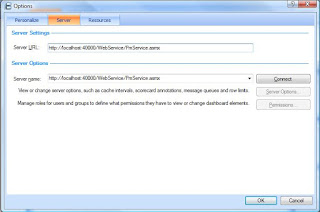
Replace localhost:4000 with your server name and click ok.
Then you can click on Refresh to get all the contenct on your designer.
Hope it helps.
Regards,
Mostafa arafa
I was getting an error message when i'm trying to connect to Performance point server, and the error message wasn't descriptive at all, this is the error message :
" ERROR SUMMARY Below is a summary of the errors, details of these errors are listed later in the log. * Activation of http://ServerName/DesignerInstall/ resulted in exception. Following failure messages were detected: + Access is denied. (Exception from HRESULT: 0x80070005 (E_ACCESSDENIED))
COMPONENT STORE TRANSACTION FAILURE SUMMARY No transaction error was detected.
"
If you don't have performance point server on your machine and you are not able to download it below shows how can you do this.
To do this, get the download from your server, this is the path:
C:\Program Files\Microsoft Office PerformancePoint Server\3.0\Monitoring\DesignerInstall
Take 3.0 folder, and install the designer on your desktop.
After installation, you will have another problem, you can't connect to your server because you didn't install it from the browser, to fix this do the following:


Replace localhost:4000 with your server name and click ok.
Then you can click on Refresh to get all the contenct on your designer.
Hope it helps.
Regards,
Mostafa arafa
Thursday, July 30, 2009
Learn how to build interactive WCM portal in sharepoint
Hi folks,
Excellent video by Technology Director of Razorfish, he shows how can you build interactive content management portal in sharepoint using jQuery,Ajax,Silverlight and flash ?
The video also shows how to enable RIA features/Web 2.0 in your sharepoint enterprise portal using flash and silverlight and social networking.
The video is full of best practices and initiative ideas.....
Enjoy watching this video:
http://videos.visitmix.com/MIX09/C19F
-- Mostafa Elzoghbi
Excellent video by Technology Director of Razorfish, he shows how can you build interactive content management portal in sharepoint using jQuery,Ajax,Silverlight and flash ?
The video also shows how to enable RIA features/Web 2.0 in your sharepoint enterprise portal using flash and silverlight and social networking.
The video is full of best practices and initiative ideas.....
Enjoy watching this video:
http://videos.visitmix.com/MIX09/C19F
-- Mostafa Elzoghbi
Thursday, July 23, 2009
Send Email activity is not working problem
Hi all,
I went through a problem in Sending Email using Email activity in SharePoint, it doesn't work when you try to send email to specific email format using sharepoint designer 2007.
To read more about the problem and the workaround that i developed, check below url :
https://connect.microsoft.com/feedback/ViewFeedback.aspx?FeedbackID=474381&SiteID=470&wa=wsignin1.0
Hope this helps.
Regards,
Mostafa arafa
I went through a problem in Sending Email using Email activity in SharePoint, it doesn't work when you try to send email to specific email format using sharepoint designer 2007.
To read more about the problem and the workaround that i developed, check below url :
https://connect.microsoft.com/feedback/ViewFeedback.aspx?FeedbackID=474381&SiteID=470&wa=wsignin1.0
Hope this helps.
Regards,
Mostafa arafa
Monday, July 20, 2009
How to control which Silverlight version does your application run on ?
Hi Folks,
I have been asked from one of my colleagues that he developed a Silverlight 2.0 and he doesn't want to upgrade his application to Silverlight 3.0.
- minRuntimeVersion: used to control the version of the Silverlight that your application will run on at minimum.
For example: if you built your application on version 2.0, the client will not be prompted to install version 3.0 when visiting your website if he has version 2.0 and this attribute is set to use version 3.0.
autoUpgrade: when it is true, the application will be upgraded to the newest Silverlight version automatically. If it is false, noting will happen.
Some use cases for different situation:
- - Before shipping your application make sure that make autoUpgrade to false, unless you developed some features which requires the client to upgrade his Silverlight version to the newest one.
- - Set the value of minRuntimeVersion to the version you test your application on, and make sure this is the minimum version you want to make your application is running with no issues.
Mostafa arafa
Tuesday, July 14, 2009
Get to know SharePoint 2010
Hi all,
Interested to know more about next version of sharpeoint, here is the site that gives you good information about the new features of Sharepoint 2010 features...check it out.
http://sharepoint.microsoft.com/2010/Sneak_Peek/
Hope this helps.
Regards,
Mostafa arafa
Interested to know more about next version of sharpeoint, here is the site that gives you good information about the new features of Sharepoint 2010 features...check it out.
http://sharepoint.microsoft.com/2010/Sneak_Peek/
Hope this helps.
Regards,
Mostafa arafa
Wednesday, July 01, 2009
MVP 2009 Award - 4th Year
Hi All,
Today i have been awarded as a C# MVP for the forth time, I got an email from Microsoft saying:
"
Dear Moustafa El-Zoughby,
Congratulations! We are pleased to present you with the 2009 Microsoft® MVP Award! This award is given to exceptional technical community leaders who actively share their high quality, real world expertise with others. We appreciate your outstanding contributions in Visual C# technical communities during the past year."
Thanks a lot all for your continous support.
Wait me for new challenges this year and so on.
Regards,
Mostafa arafa
Today i have been awarded as a C# MVP for the forth time, I got an email from Microsoft saying:
"
Dear Moustafa El-Zoughby,
Congratulations! We are pleased to present you with the 2009 Microsoft® MVP Award! This award is given to exceptional technical community leaders who actively share their high quality, real world expertise with others. We appreciate your outstanding contributions in Visual C# technical communities during the past year."
Thanks a lot all for your continous support.
Wait me for new challenges this year and so on.
Regards,
Mostafa arafa
Monday, June 29, 2009
Get started with jQuery library from its own creators !!!
Hi Folks,
As you know, MS announced that jQuery is a built-in library in VS 2008 SP1 for ASP.NET Developers.
I recommend for all developers, to see the series of jQuery Library videos from its own creator : John Resig and his team, this series of videos help you to understand the jQuery library features,jQuery UI and other important notes for advanced developers.
I enjoyed watching these series, and i suggest all of you to understand and start using jQuery library in your .NET Projects and solutions.
After you finish this series, i like to share with you these posts for integrating ASP.NET with jQuery library:
1) ASP.NET with jQuery: Scott hanselman:
http://www.hanselman.com/blog/jQuerytoshipwithASPNETMVCandVisualStudio.aspx
2) ASP.NET with jQuery:
http://dotnetslackers.com/articles/ajax/Using-jQuery-with-ASP-NET.aspx
Hope this helps.
Regards,
Mostafa arafa
As you know, MS announced that jQuery is a built-in library in VS 2008 SP1 for ASP.NET Developers.
I recommend for all developers, to see the series of jQuery Library videos from its own creator : John Resig and his team, this series of videos help you to understand the jQuery library features,jQuery UI and other important notes for advanced developers.
I enjoyed watching these series, and i suggest all of you to understand and start using jQuery library in your .NET Projects and solutions.
After you finish this series, i like to share with you these posts for integrating ASP.NET with jQuery library:
1) ASP.NET with jQuery: Scott hanselman:
http://www.hanselman.com/blog/jQuerytoshipwithASPNETMVCandVisualStudio.aspx
2) ASP.NET with jQuery:
http://dotnetslackers.com/articles/ajax/Using-jQuery-with-ASP-NET.aspx
Hope this helps.
Regards,
Mostafa arafa
Sunday, June 28, 2009
C# Visual Developer Center website
Hi all,
I'd like to share with you this website: C# Developer Center, This is a good site it contains all C# language enhancements, C# MVP Blogs, C# highlights, C# Community blogs and more.
This website you can subscribe for RSS and check it frequently.
** link:
http://msdn.microsoft.com/en-us/vcsharp/default.aspx
Regards,
Mostafa arafa
I'd like to share with you this website: C# Developer Center, This is a good site it contains all C# language enhancements, C# MVP Blogs, C# highlights, C# Community blogs and more.
This website you can subscribe for RSS and check it frequently.
** link:
http://msdn.microsoft.com/en-us/vcsharp/default.aspx
Regards,
Mostafa arafa
Sunday, June 21, 2009
How to develop out-of-browser applications ?
Hi Geeks,
A question needs an answer for most of web developers these days : Can we develop a web application and this application can run out of the browser ? The answer is YES, You can do that.
But How ? Use Silvelight 3.0 Beta.
One of the interesting features in Silverlight 3.0 is that you can detch your application from the web browser and this browser can work as a desktop application.
Silverlight 3.0 Beta have other interesting features such as: checking network availability,storing data offline and much more.
If you have no experience with silverlight 2.0 or earlier, this is the site you want to get started with :
http://silverlight.net/getstarted/silverlight3/default.aspx
This site is a good reference for all Silverlight 3.0 Features and samples.
Hope this helps.
Regards,
Mostafa arafa
A question needs an answer for most of web developers these days : Can we develop a web application and this application can run out of the browser ? The answer is YES, You can do that.
But How ? Use Silvelight 3.0 Beta.
One of the interesting features in Silverlight 3.0 is that you can detch your application from the web browser and this browser can work as a desktop application.
Silverlight 3.0 Beta have other interesting features such as: checking network availability,storing data offline and much more.
If you have no experience with silverlight 2.0 or earlier, this is the site you want to get started with :
http://silverlight.net/getstarted/silverlight3/default.aspx
This site is a good reference for all Silverlight 3.0 Features and samples.
Hope this helps.
Regards,
Mostafa arafa
Tuesday, June 16, 2009
Sharepoint designer custom workflow activities
Hi all,
Good project in CodePlex for samples of custom activities which can be used in Sharepoint designer when creating your workflow.
Email, InfoPath, Security & user info custom activites are available to use.
Link to the project:
http://www.codeplex.com/SPDActivities
Regards,
Mostafa arafa
Good project in CodePlex for samples of custom activities which can be used in Sharepoint designer when creating your workflow.
Email, InfoPath, Security & user info custom activites are available to use.
Link to the project:
http://www.codeplex.com/SPDActivities
Regards,
Mostafa arafa
Thursday, June 11, 2009
Microsoft Translator - Bing
Hi all,
New microsoft translator powered by Bing, you can use it now :
http://www.microsofttranslator.com/Default.aspx
You can use tbot messenger contact or ESL (English as a second language) tools.
Regards,
Mostafa arafa
New microsoft translator powered by Bing, you can use it now :
http://www.microsofttranslator.com/Default.aspx
You can use tbot messenger contact or ESL (English as a second language) tools.
Regards,
Mostafa arafa
Tuesday, May 26, 2009
How to return IEnumerable from XML web services
Hi ,
This post gives you an idea how to return IEnumerable object in your XML web services, the tip for this post is how to convert this IEnumerable object to something that can be serialized in your xml web serivces.
If you are using LINQ in your xml web serivces, below is an example for the signature of your xml web service:
[WebMethod]
public IEnumerable ListUser()
{
return logic.ListUser();
}
If you run this xml web service, you will get this error :
"Cannot serialize interface System.Collections.Generic.IEnumerable"
To solve this problem, simply convert the IEnumerable Object to Array using ToArray() extension method.
[WebMethod]
public TwitterUser[] ListUser()
{
return logic.ListUser().ToArray();
}
This will fix this problem and return the result as XML in your xml web service.
Hope this helps.
Regards,
Mostafa arafa
This post gives you an idea how to return IEnumerable object in your XML web services, the tip for this post is how to convert this IEnumerable object to something that can be serialized in your xml web serivces.
If you are using LINQ in your xml web serivces, below is an example for the signature of your xml web service:
[WebMethod]
public IEnumerable
{
return logic.ListUser();
}
If you run this xml web service, you will get this error :
"Cannot serialize interface System.Collections.Generic.IEnumerable"
To solve this problem, simply convert the IEnumerable Object to Array using ToArray() extension method.
[WebMethod]
public TwitterUser[] ListUser()
{
return logic.ListUser().ToArray();
}
This will fix this problem and return the result as XML in your xml web service.
Hope this helps.
Regards,
Mostafa arafa
Sunday, May 24, 2009
Cloud Computing Presentation - Azure
Hi All,
Today, I have given a session about "Cloud Computing Platform" using Azure Services platform provided by Microsoft, it was an interesting session since it was targeted to Computer science students - Master's Students. the session was so interesting and the audience was so proactive regarding their questions and their thoughts about the future of Cloud computing.
In this session, I covered the main concepts behind Cloud computing environment, and the new trends for the Software evolution with cloud computing environments.
-- Since i was using Azure platform as an example of cloud computing environment, i have covered the main services in Azure services platform:
1) Windows Azure services.
2) SQL services Services.
3) .Net services.
I gave couple of demos for windows Azure serivces and Azure sql services.
You can get my presentation from below link:
http://cid-4bc94054914a6469.skydrive.live.com/self.aspx/Blog%20Code/Azure%20Services%20Platform%20Overview.pptx?ccr=8594
Hope this helps.
Regards,
Mostafa arafa
Today, I have given a session about "Cloud Computing Platform" using Azure Services platform provided by Microsoft, it was an interesting session since it was targeted to Computer science students - Master's Students. the session was so interesting and the audience was so proactive regarding their questions and their thoughts about the future of Cloud computing.
In this session, I covered the main concepts behind Cloud computing environment, and the new trends for the Software evolution with cloud computing environments.
-- Since i was using Azure platform as an example of cloud computing environment, i have covered the main services in Azure services platform:
1) Windows Azure services.
2) SQL services Services.
3) .Net services.
I gave couple of demos for windows Azure serivces and Azure sql services.
You can get my presentation from below link:
http://cid-4bc94054914a6469.skydrive.live.com/self.aspx/Blog%20Code/Azure%20Services%20Platform%20Overview.pptx?ccr=8594
Hope this helps.
Regards,
Mostafa arafa
Friday, May 22, 2009
Visual Studio 2010 Beta 1 is available for public
Hi All .Net Developer,
Impressed news for all .Net Developers, VS 2010 Beta 1 is now available for download for all users ( Wednesday 20 May) , VS 2010 was available for MSDN subscribers earlier, VS 2010 is packaged with new features and new enhancments for what we are doing in VS 2008.
New Features in VS 2010 :
1) Enhanced User Experience.
2) Support for Parallel Programming.
3) More Features and support for ALM ( Application Life cycle Management).
4) Inspiring Developer Delight ( more support for office tools, understanding existing code).
5) New features for Web Development ( One Click Deployment, Full support for Silverlight).
6) Cloud Development.
7) More DB support for DB2 and Oracle DBs.
A lot of interesting features if you would like to read more, visit below link:
Download it and start developing with VS 2010.
Mostafa arafa
Friday, May 15, 2009
How to open office files in FBA SharePoint Sites
Hi All,
New Hotfix for Office Client applications has been released to fully integrate uploaded documents in Forms based authentication (FBA) sharepoint sites using office client applications.
Before this hotfix, we couldn't open sharepoint office files using client office applications in FBA SharePoint sites because the client can't authenticate the user in FBA SharePoint Sites.
Now with this hotfix, the client will be prompted with a page to enter the username and password, then the request will be sent to the sharepoint site to authenticate the user and reply with a response contains the requested document.
Other than this hotfix you have to go on the FBA SharePoint settings sites and set enable client integration check box.
Read More :
Hope this helps.
Mostafa arafa
Friday, May 08, 2009
Simple Counter Web Application using Asp.Net MVC 1.0
Hi,
I have created a simple MVC Asp.Net Web Application, This Application contains a page with 2 buttons to increment or decrement a counter value (2 actions on the same view).
This sample is demonstrating how to understand the MVC pattern in Asp.net and how to pass data between the viewer (You page) and the actions in the controller class in your model.
Download Link - C# Project , VS 2008 :
Hope this help.
Mostafa arafa
Wednesday, May 06, 2009
First Look for Asp.Net MVC 1.0 Project structure
Hi All,
This post is for new developers who are interested to know the project structure for ASP.Net MVC project in VS 2008.
If you don't have MVC project in your VS 2008, download it from this link :
http://www.asp.net/mvc/
Once you create MVC project you will find a new project structure different than the usual website or web application structure that we used to work with.
First look for your ASP.Net MVC project shows that you have 6 top level directories:
1) App_Data: Contains your data source files DBs or XML files to read/write.
2) Content: any css files or images.
3) Controllers: contains all controller classes.
4) Models: contains business model classes or entity framework edm files as business models.
5) Scripts: Contains js files on your project.
6) Views: UI template files.
Bold Directories : MVC specific implementations (New Directories).
Understanding the purpose of each directory is very important since it is part of your understanding of MVC design pattern implementation in ASP.Net.
Hope this helps.
Mostafa arafa
Friday, May 01, 2009
SharePoint Service Pack 2 is available
Hi all,
SharePoint 2007 and WSS 3.0 SP2 is available to download, to know the installation steps and enhancements and improvements for this new release, read more on below link:
http://blogs.msdn.com/sharepoint/archive/2009/04/28/announcing-service-pack-2-for-office-sharepoint-server-2007-and-windows-sharepoint-services-3-0.aspx
Hope this helps.
Mostafa arafa
Friday, April 24, 2009
WCF REST Starter kit is available
Hi all,
A WCF REST starter kit is available to download, this kit contains a set of .Net framework classes which help to build WCF REST-Style Services.
Download link:
http://www.asp.net/downloads/starter-kits/wcf-rest/
Hope this helps.
Mostafa arafa
Monday, April 20, 2009
Asp.Net 4.0 AJAX Deep dive with jQuery webcast
Hi Folks,
New webcast on 22 April @ 20:00-21:30 Kuwai/Riyadh Time.
AJAX 4.0 deep dive with jQuery samples and new components.
Session outline:
- jQuery and the VS 2010
- Using ASP.NET AJAX 4.0 Client Templates
- Using the DataView control
- Conditional attributes
Speakers:
Ahmed Shokr (SafatES – Developers Team Leader)
Amr El Garhy (Microsoft Gulf – Developer Evangelist)
-+-----+-----+-----+-----+-----+-----+-----+-----+-
Amr El Garhy has invited you to attend an online meeting.
Make sure the Office Live Meeting client is installed before the meeting:
Meeting Url:
Subject: ASP.NET AJAX 4.0 deep dive with jQuery samples and new components.
When: 22/Apr/2009 20:00-21:30 (GMT+03:00) Kuwait, Riyadh.
Where: Live Meeting
When: 22/Apr/2009 20:00-21:30 (GMT+03:00) Kuwait, Riyadh.
Where: Live Meeting
See you all there.
Mostafa arafa
Saturday, April 18, 2009
SharePoint Best practices
Hi folks,
Excellent resource for SharePoint Guidance contains the best practices for Architecture designs,development,test,deploy,internet and intranet applications.
http://msdn.microsoft.com/en-us/library/dd203468.aspx
Regards,
Mostafa arafa
Excellent resource for SharePoint Guidance contains the best practices for Architecture designs,development,test,deploy,internet and intranet applications.
http://msdn.microsoft.com/en-us/library/dd203468.aspx
Regards,
Mostafa arafa
Friday, April 17, 2009
Important Announcement: SharePoint 2007 SP2
Hi Folks,
SharePoint Product manager announced that a new service pack 2 will be available for sharepoint 2007 and WSS 3.0, and this service pack will be available to be download on 28th April 09.
This service pack has a lot of improvements for new IE 8.0 and firefox 2.0 & 3.0.
It's good to plan for this installation on your existing solutions :).
Mostafa arafa
Tuesday, April 14, 2009
Silverlight development in sharepoint 2007
Hi All,
Excellent resource for developing Silverlight 2.0 in sharepoint 2007, the book covers a lot of important aspects for sharepoint development using silverlight 2.0.
http://www.amazon.com/Professional-Microsoft-SharePoint-Development-Silverlight/dp/0470434007
Regards,
Mostafa arafa
Excellent resource for developing Silverlight 2.0 in sharepoint 2007, the book covers a lot of important aspects for sharepoint development using silverlight 2.0.
http://www.amazon.com/Professional-Microsoft-SharePoint-Development-Silverlight/dp/0470434007
Regards,
Mostafa arafa
Thursday, April 02, 2009
SharePoint Designer 2007 is Free
Hi Folks,
Now Microsoft has released SharePoint 2007 for Free from MS site.
As you know, sharepoint designer was a licensed product before this announcement from Microsoft.
Download url :
http://www.microsoft.com/downloads/details.aspx?displaylang=en&FamilyID=baa3ad86-bfc1-4bd4-9812-d9e710d44f42
Regards,
Mostafa arafa
Now Microsoft has released SharePoint 2007 for Free from MS site.
As you know, sharepoint designer was a licensed product before this announcement from Microsoft.
Download url :
http://www.microsoft.com/downloads/details.aspx?displaylang=en&FamilyID=baa3ad86-bfc1-4bd4-9812-d9e710d44f42
Regards,
Mostafa arafa
Tuesday, March 24, 2009
Extension Methods in C#
Hi all,
I have submitted a new article in C# Corner website "Extension methods in C#" since i see this is one of most important C# 3.0 language enhancements.
read more about it :
Mostafa arafa
Tuesday, March 17, 2009
ASP.Net web development server stop working in VS 2008
Hi folks,
One of my friends told me that he had a problem in the last couple of days, when he is trying to run asp.net web application; he was getting this error message is showing in his browser:
"Internet Explorer cannot display the webpage"
He uninstalled and installed VS 08 since he taught that this will fix the problem.
If you are facing this problem, simply do the following to fix it :
1) open the following file: "c:\windows\system32\drivers\etc\hosts"
2) Add the following entry in this file:
127.0.0.1 local host
Save the file and then try to run your asp.net application the development server will work perfect :).
Hope this helps.
Reference:
Mostafa arafa
Saturday, March 14, 2009
Difference between clear and remove in web.config
Hi all,
I had a discussion with one of my friends about the difference between clear and remove keys in web.config, and I would like to share it with you.
Remove in web.config is to remove a specific key from the web.config, for example:
Note: <> have been replaced by {} because it is not allowed to be posted in http request.
{appSettings}
{add key="MyName" value="Mostafa1"/}
{add key="MyName" value="Mostafa2"/}
{add key="MyName1" value="Mostafa3"/}
{remove key="MyName1"/}
{/appSettings}
Remove is removing the key MyName1.
Clear is used to remove all key mentioned above it, for example:
{appSettings}
{add key="MyName" value="Mostafa1"/}
{add key="MyName" value="Mostafa2"/}
{add key="MyName1" value="Mostafa3"/}
{clear/}
{/appSettings}
I don’t recommend to use clear key in the web.config because it will cause a disaster in your application.
Hope this tip helps.
I had a discussion with one of my friends about the difference between clear and remove keys in web.config, and I would like to share it with you.
Remove in web.config is to remove a specific key from the web.config, for example:
Note: <> have been replaced by {} because it is not allowed to be posted in http request.
{appSettings}
{add key="MyName" value="Mostafa1"/}
{add key="MyName" value="Mostafa2"/}
{add key="MyName1" value="Mostafa3"/}
{remove key="MyName1"/}
{/appSettings}
Remove is removing the key MyName1.
Clear is used to remove all key mentioned above it, for example:
{appSettings}
{add key="MyName" value="Mostafa1"/}
{add key="MyName" value="Mostafa2"/}
{add key="MyName1" value="Mostafa3"/}
{clear/}
{/appSettings}
I don’t recommend to use clear key in the web.config because it will cause a disaster in your application.
Hope this tip helps.
Thursday, March 12, 2009
Free ASP.Net MVC tutorial
Hi folks,
New ebook for ASP.Net MVC is now available for free to download and start practicing ASP.Net MVC framework:
"There has been a lot of excitement in the community about the new ASP.NET MVC framework that is about to ship (literally any day now – announcement coming soon). As with anything new, people are also asking for more tutorials/samples/documentation that cover how to get started and build applications with it." -- ScottGu
download link :
http://aspnetmvcbook.s3.amazonaws.com/aspnetmvc-nerdinner_v1.pdf
Read more from Scott Gu's Blog:
http://weblogs.asp.net/scottgu/archive/2009/03/10/free-asp-net-mvc-ebook-tutorial.aspx?CommentPosted=true#commentmessage
Happy .Netting.
Regards,
Mostafa arafa
New ebook for ASP.Net MVC is now available for free to download and start practicing ASP.Net MVC framework:
"There has been a lot of excitement in the community about the new ASP.NET MVC framework that is about to ship (literally any day now – announcement coming soon). As with anything new, people are also asking for more tutorials/samples/documentation that cover how to get started and build applications with it." -- ScottGu
download link :
http://aspnetmvcbook.s3.amazonaws.com/aspnetmvc-nerdinner_v1.pdf
Read more from Scott Gu's Blog:
http://weblogs.asp.net/scottgu/archive/2009/03/10/free-asp-net-mvc-ebook-tutorial.aspx?CommentPosted=true#commentmessage
Happy .Netting.
Regards,
Mostafa arafa
Sunday, March 08, 2009
Export office system files to PDF
Hi all,
Office System 2007 save as PDF add-in now is available without 3rd party tools/add-ins.
Download link:
http://www.microsoft.com/downloads/details.aspx?familyid=4D951911-3E7E-4AE6-B059-A2E79ED87041&displaylang=en
This add-in work with all office 2007 applications such as: Word,Excel,PowerPoint,Access,Visio,InfoPath and OneNote.
Regards,
Mostafa arafa
Office System 2007 save as PDF add-in now is available without 3rd party tools/add-ins.
Download link:
http://www.microsoft.com/downloads/details.aspx?familyid=4D951911-3E7E-4AE6-B059-A2E79ED87041&displaylang=en
This add-in work with all office 2007 applications such as: Word,Excel,PowerPoint,Access,Visio,InfoPath and OneNote.
Regards,
Mostafa arafa
Wednesday, March 04, 2009
24 Hour Virtual Event - TechEd 2009 Developers !!!
Hi folks,
Do you have a problem of different time zones for online trainings and workshops ? If Yes, here is a good news from microsoft :
Defy all challenges of different time zones, Now you can attend Virtual Tech Ed Event for Developers on 1st April 2009 after your registration. No matter which time zone you belongs to.
Event contains 5 tracks:
1) Windows Development.
2) Windows Mobile Development.
3) Office & Sharepoint development.
4) Developer tools , Languages and tools.
5) Web Development & User Experience.
Read more on below link:
https://www.msfttechdays.com/public/home.aspx
Happy .Netting !!!
Regards,
Mostafa arafa
Do you have a problem of different time zones for online trainings and workshops ? If Yes, here is a good news from microsoft :
Defy all challenges of different time zones, Now you can attend Virtual Tech Ed Event for Developers on 1st April 2009 after your registration. No matter which time zone you belongs to.
Event contains 5 tracks:
1) Windows Development.
2) Windows Mobile Development.
3) Office & Sharepoint development.
4) Developer tools , Languages and tools.
5) Web Development & User Experience.
Read more on below link:
https://www.msfttechdays.com/public/home.aspx
Happy .Netting !!!
Regards,
Mostafa arafa
Subscribe to:
Posts (Atom)